
💻 Time management and capacity planning
We recommend to insert this calendar on space level.
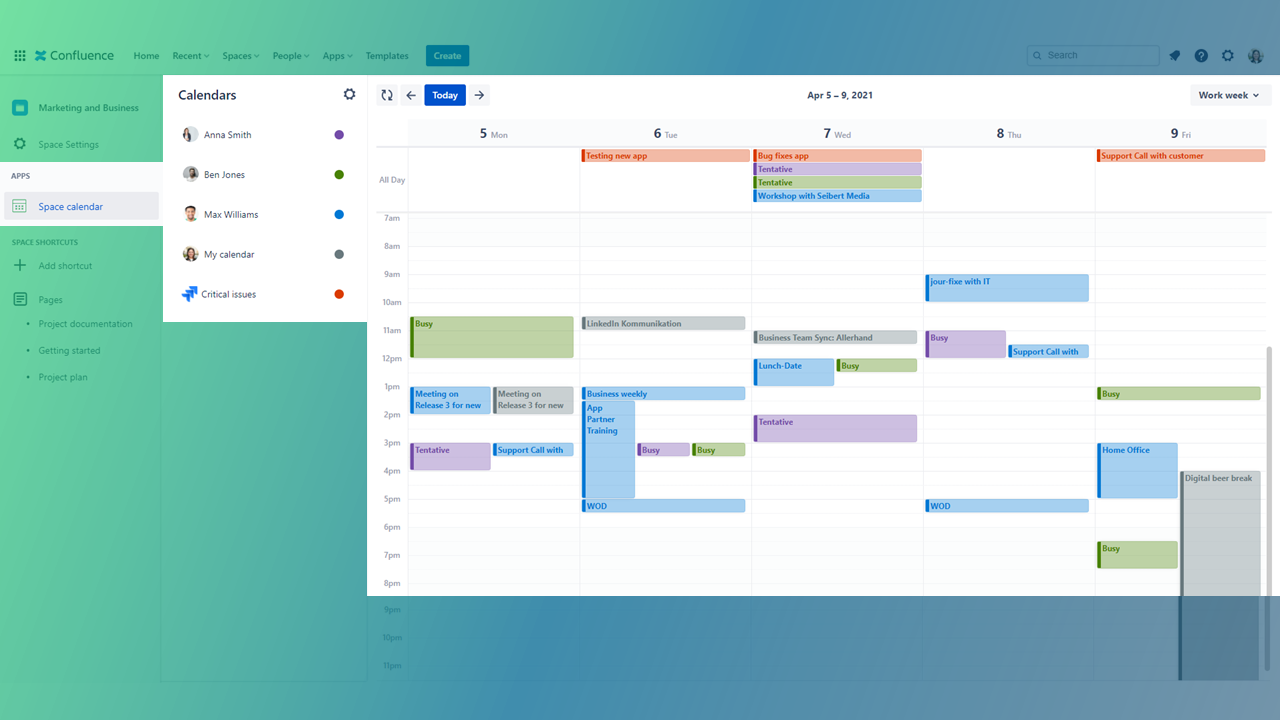
Time management is key for service and support. Especially when being Head of Support you might need to regularly check on your team members to do’s and relevant Jira dates.
-
How about your team’s overall workload and capacities?
-
Are there any support tickets which are still unassigned? And if yes, who can take care of them?
-
Are there any support tickets with an upcoming (critical) due date?
All those dates are usually saved in Jira.
Support or executive managers might also use Outlook to communicate with customers and colleagues. Many companies and teams also organize their schedules and appointments natively in Outlook. Once again, this means different data silos and sources of information (Jira and Outlook).
But this what you’d need: a place for all your dates right here in Confluence. Outlook Calendars for Confluence lets you combine the data and share everything in a team calendar.
Sync your Jira dates along with Outlook dates in your Confluence calendar and organize your team:
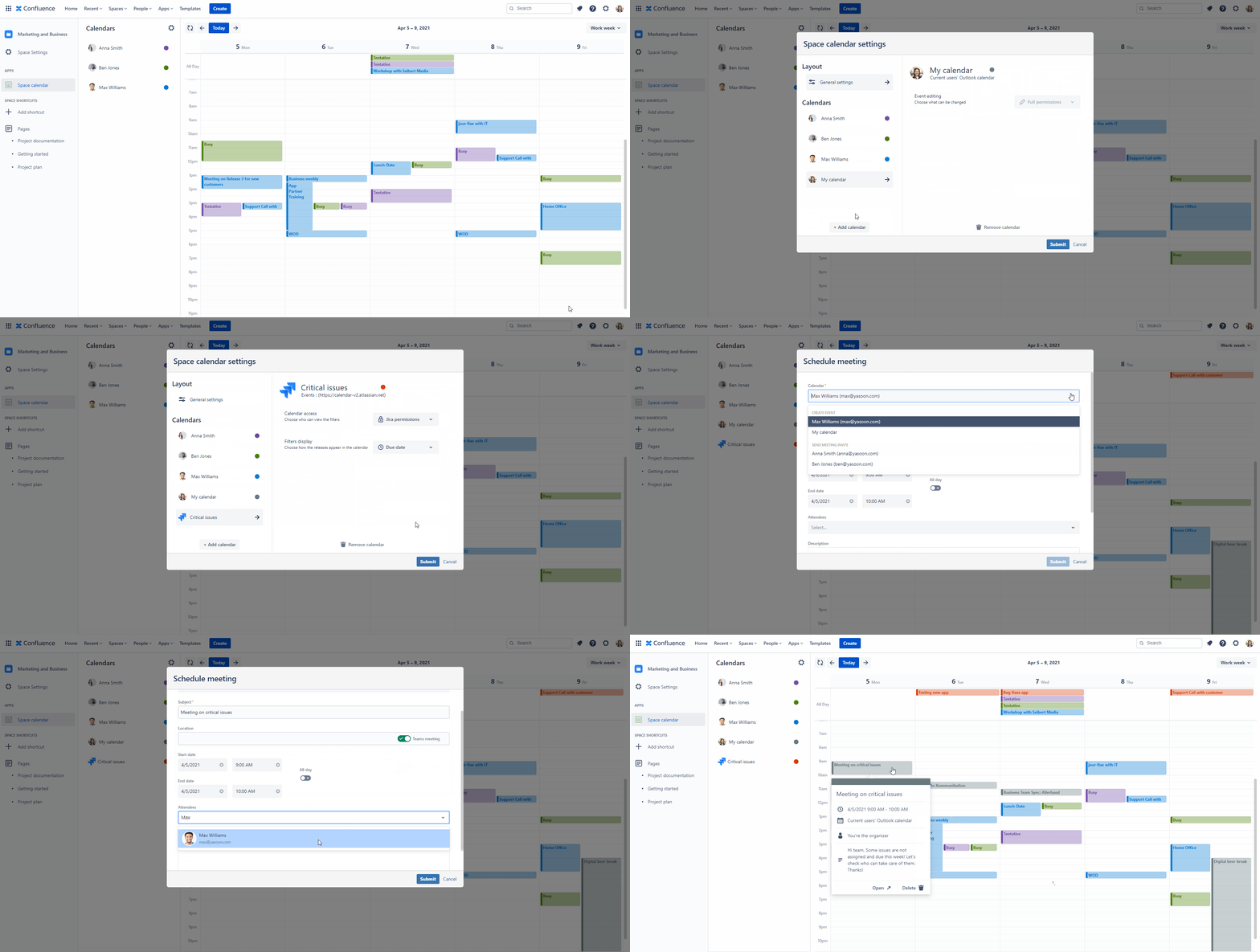
Schedule a meeting with your team members to distribute Jira issues among the team:
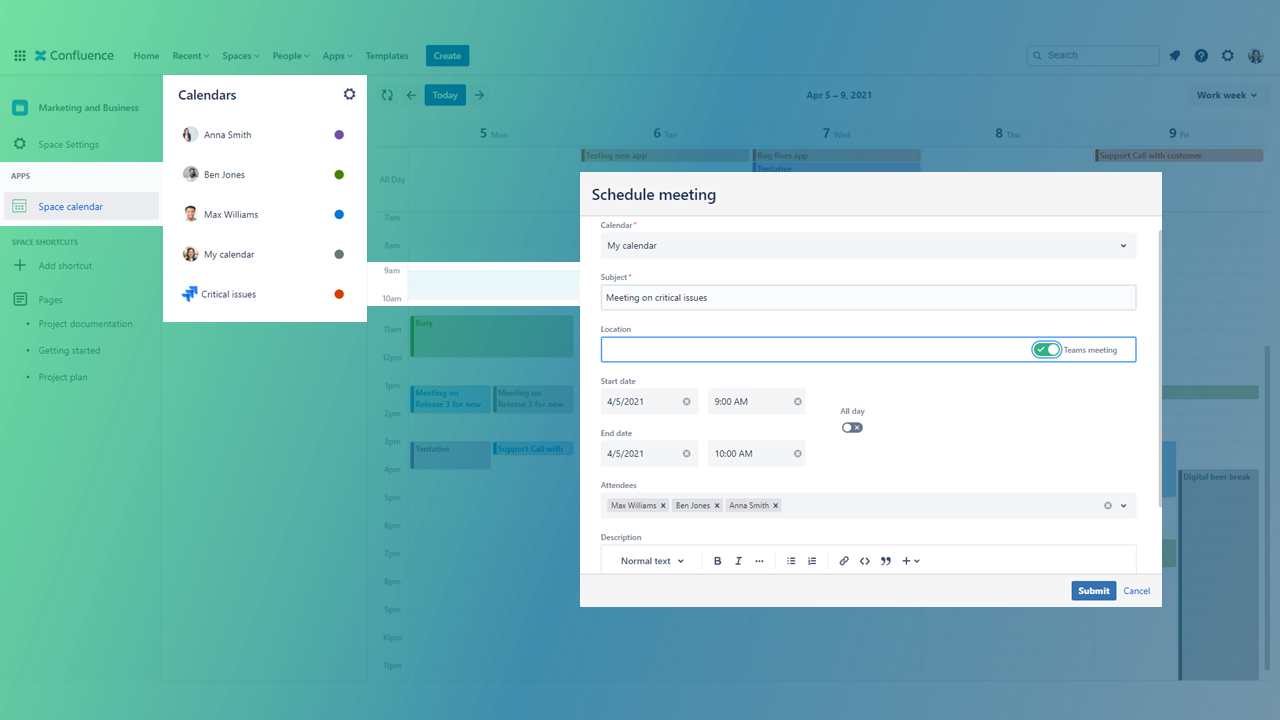
Want to learn how to schedule a meeting right in your Confluence calendar. Follow our instructions here.
📢 Pro’s and Con’s
Easy set-up and integration on a Confluence space
Seamless integration in existing processes
One central source of information - available for the whole team
Always-on availability of Jira and Outlook dates
Usage recommendation for Jira power user (especially when using JQL filter)