
When is the native Jira Cloud app for Teams enough — and when does Microsoft 365 for Jira make sense?
Atlassian provides native Microsoft Teams capabilities for Jira and Jira Service Management. These are useful for basic Teams-side interactions, such as receiving Jira notifications, previewing Jira links, creating work items from Teams, or supporting selected JSM chat and incident scenarios.
Microsoft 365 for Jira is designed for customers who need Teams collaboration to stay connected to Jira and Jira Service Management. Conversations do not just happen next to the work item or request, they become part of the process, with context, updates, and follow-ups kept together in one structured work record.
Which Atlassian Teams capabilities are included?
This comparison focuses on three native Atlassian capabilities for Microsoft Teams:
-
Jira Cloud for Microsoft Teams
For Jira work item notifications, link previews, and basic work item actions from Teams. -
Jira Service Management Chat / Atlassian Assist for Microsoft Teams
For receiving and creating JSM requests from Microsoft Teams. -
Jira Service Management ChatOps for Microsoft Teams
For alert, on-call, and basic incident collaboration in Teams (some advanced JSM incident collaboration features are only available in JSM Premium and Enterprise plans).
Atlassian also offers Rovo for Microsoft Teams, which adds AI-powered search, answers, and actions across Atlassian and connected tools. Since Rovo focuses on AI-assisted knowledge access, it is not the main focus of this comparison.
Choose Atlassian native Teams capabilities when…
-
you only need basic Jira activity in Teams, such as notifications, link previews, commands, and selected work item actions
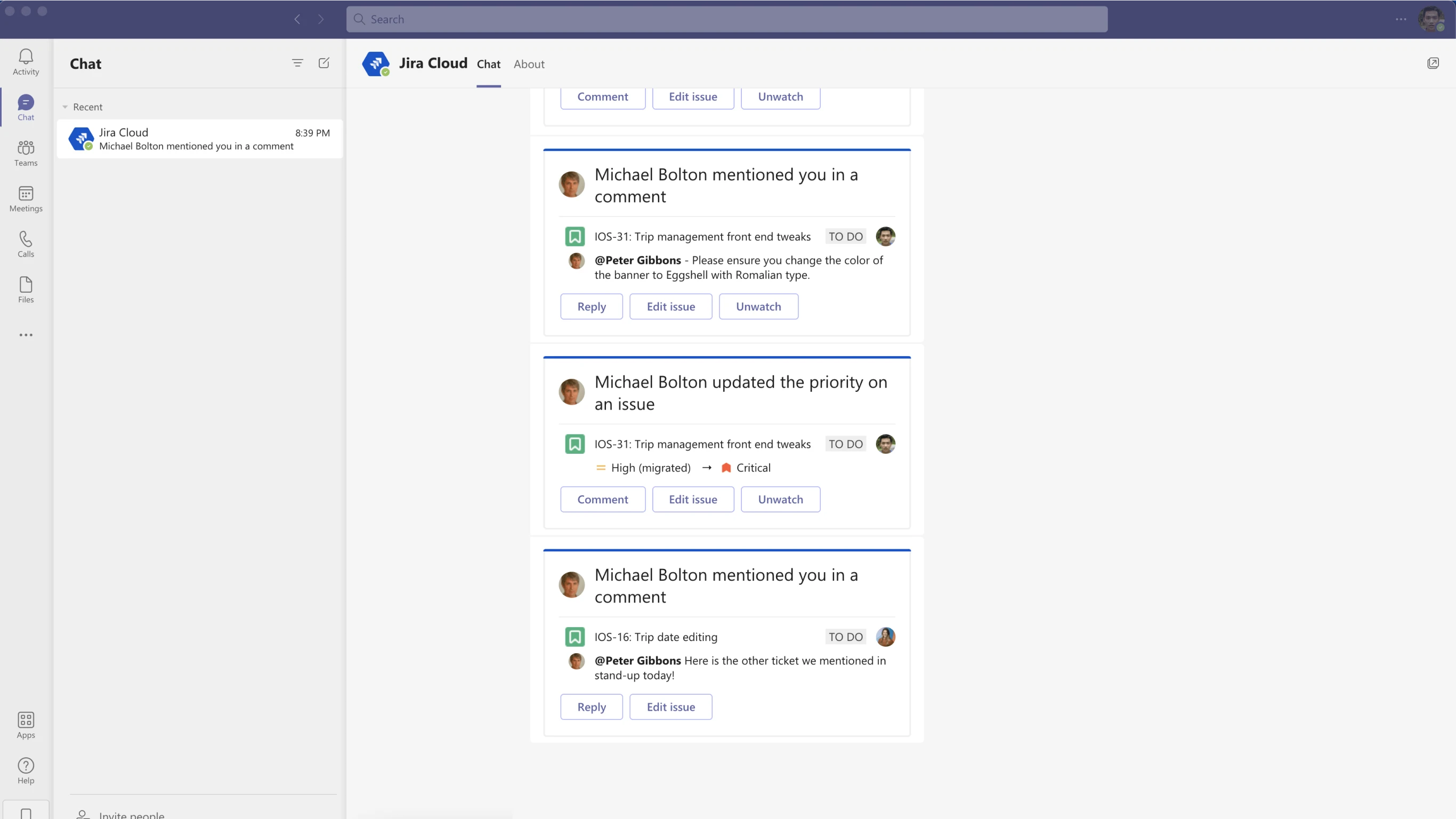
-
users should be able to perform basic Jira functionality from Teams, such as creating or searching for Jira work items, but Teams does not need to become the main collaboration layer around those work items
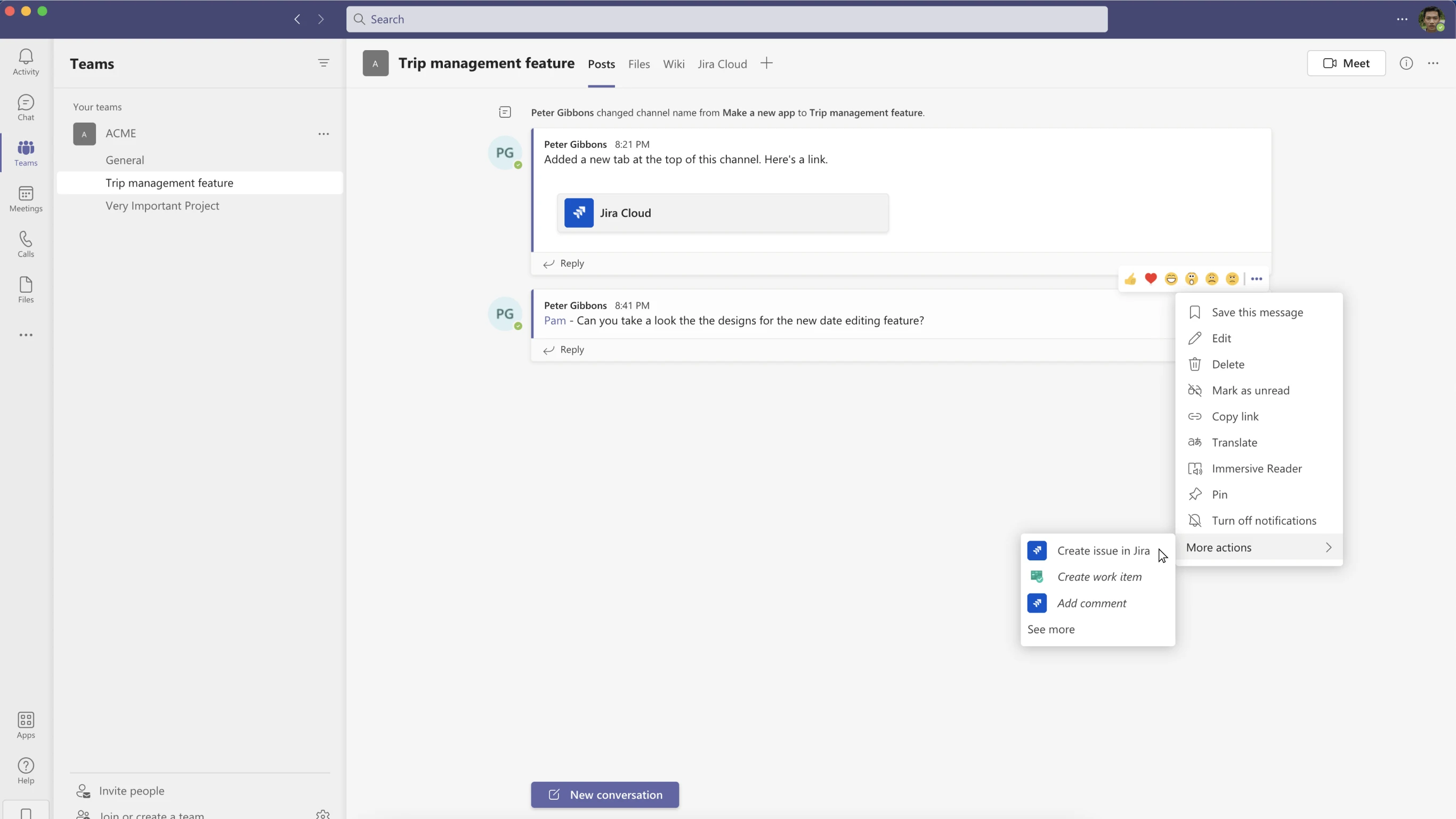
-
your JSM use case is mainly about request intake from Teams, for example turning Teams messages into JSM work items and syncing comments between Teams and Jira Service Management
-
your incident use case is covered by Atlassian’s native incident response model: Teams chats or meetings can be created from JSM incidents, and selected incident or alert actions can be handled from Teams
-
you do not need configurable collaboration setups across spaces, epics, work items, and requests
Choose Microsoft 365 for Jira when…
-
Microsoft Teams is where work or service conversations actually happen, and Jira or Jira Service Management should stay in sync with that communication
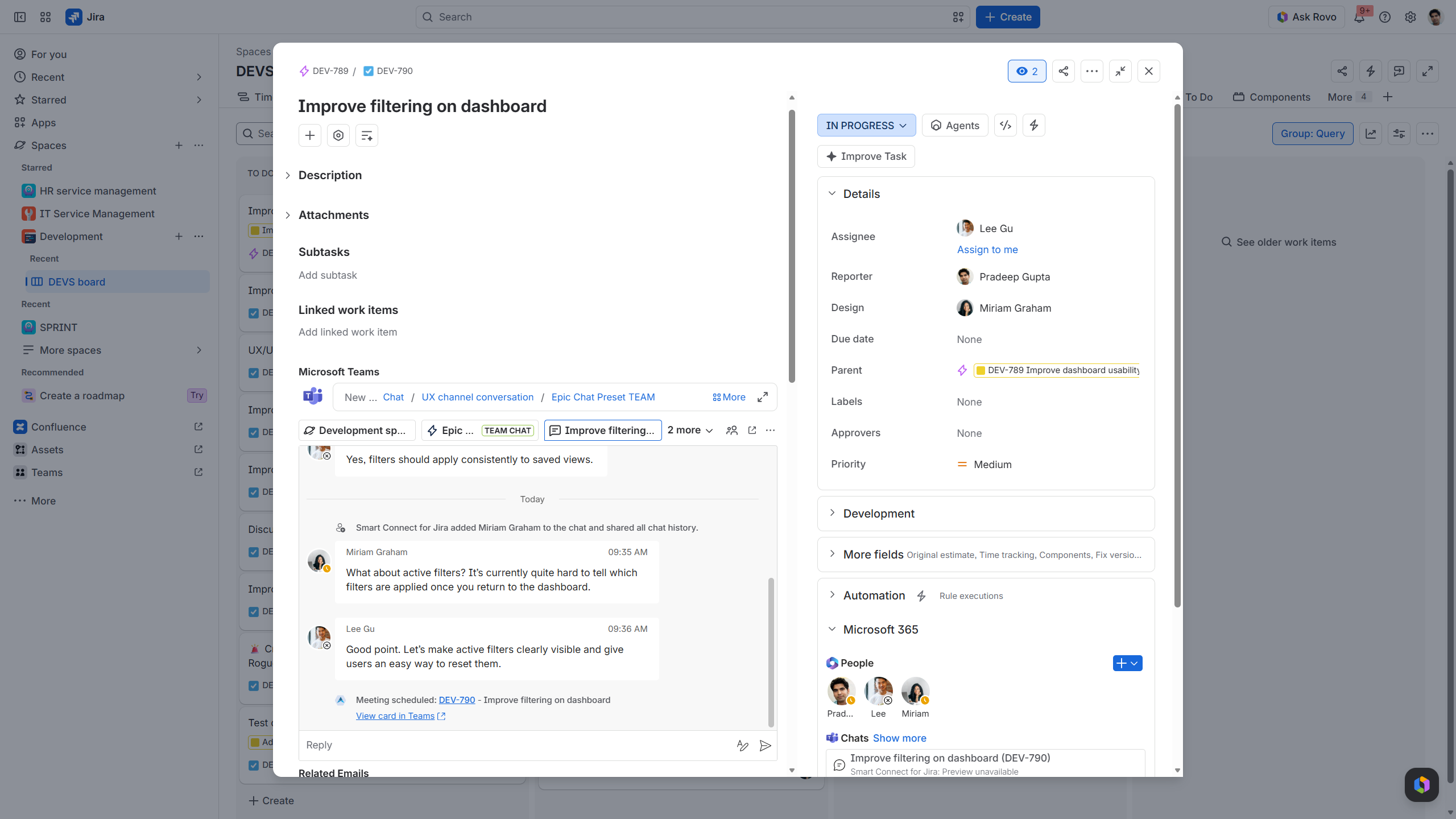
work item view:
shows Teams conversation and option to “reply” as well as Teams availabilities in the sidebar
-
Teams conversations should remain available from the related work item or request throughout the process, not only be started from Jira/JSM
-
JSM requests need an ongoing customer conversation in Teams, with the request, participants, updates, and context kept together
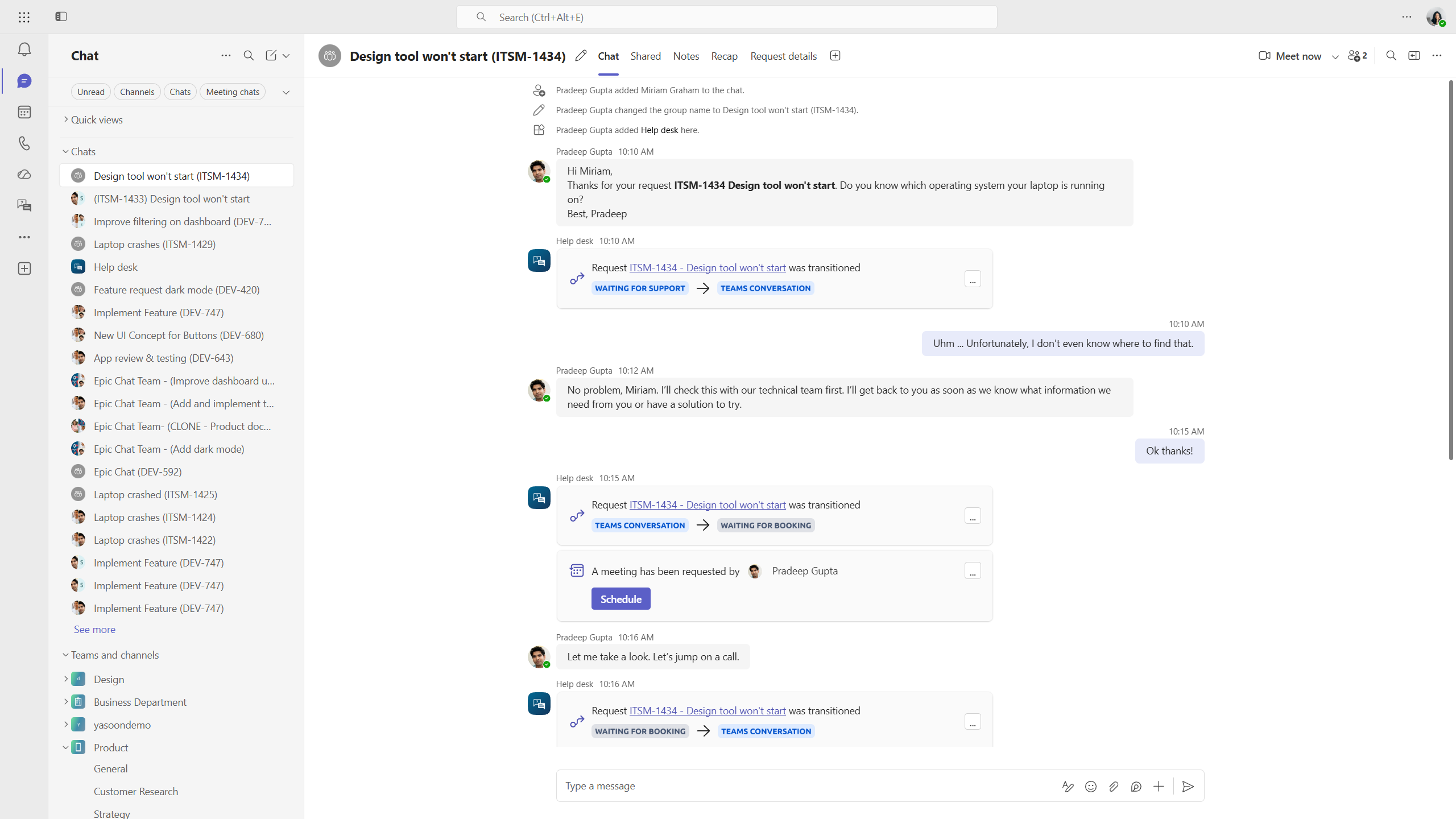
Teams view:
shows customer chat incl. Microsoft Bookings and …
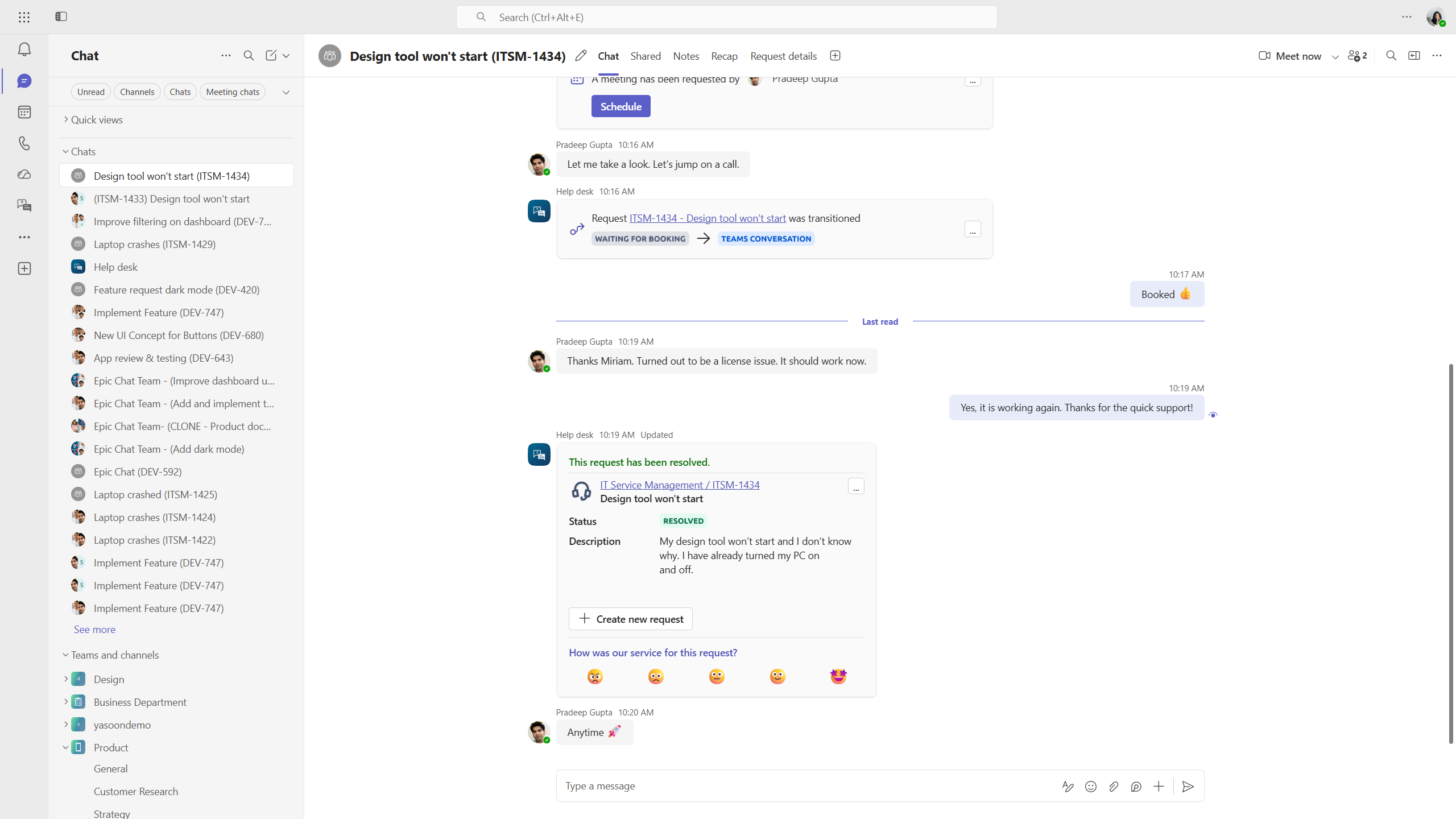
… resolvement of request. All visible and trackable in Teams.
-
incident collaboration should stay traceable from the Jira/JSM record, including the connected Teams conversation and context needed for handovers, follow-ups, or post-incident review
-
teams need repeatable collaboration setups for spaces, epics, work items, or requests
-
admins want to configure how Teams chats, Adaptive Cards, and automations behave through Presets
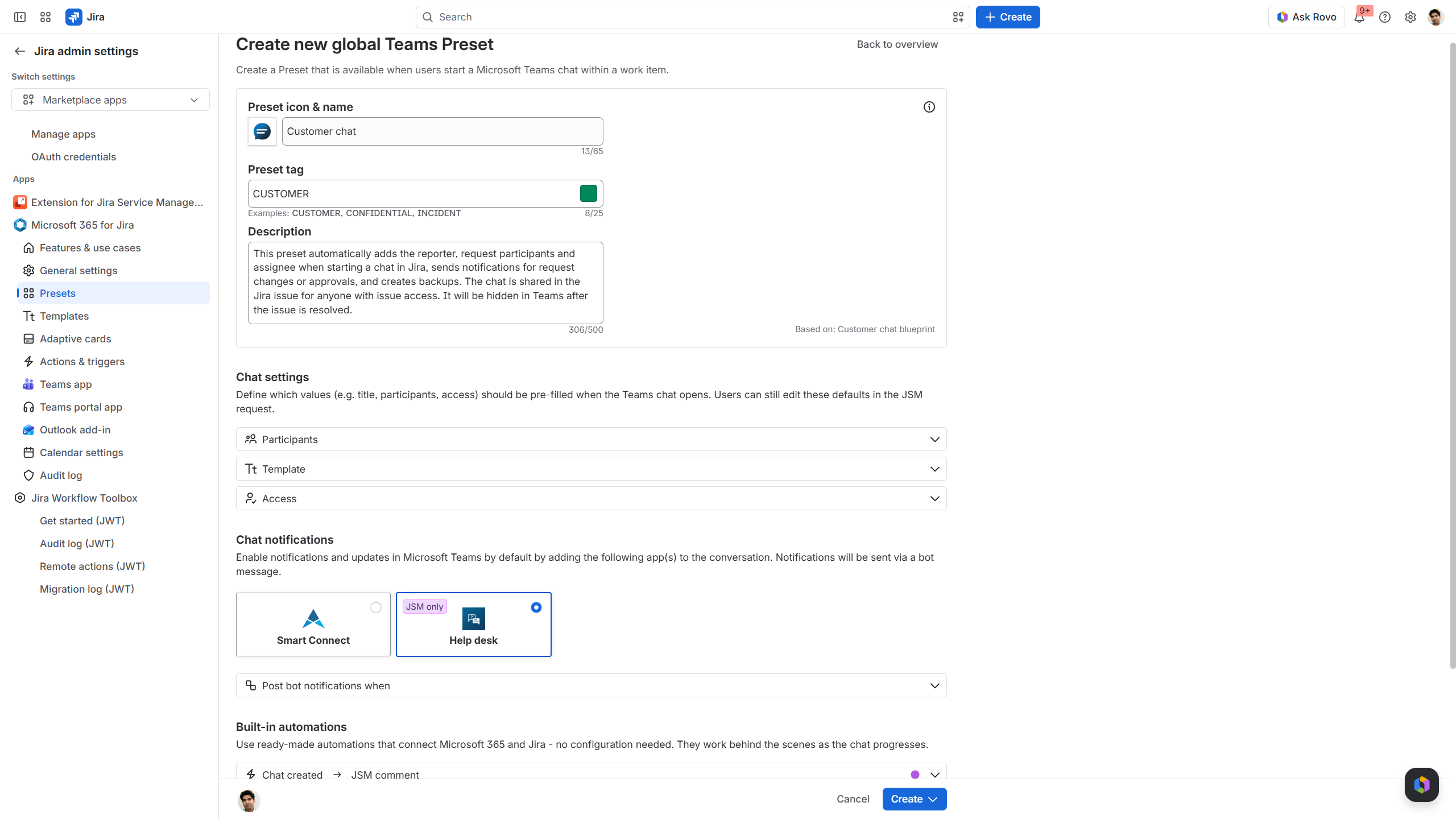
Jira global settings:
options to configure Teams Preset
-
you need a broader Microsoft 365 x Jira collaboration layer, not only Teams-side Jira access
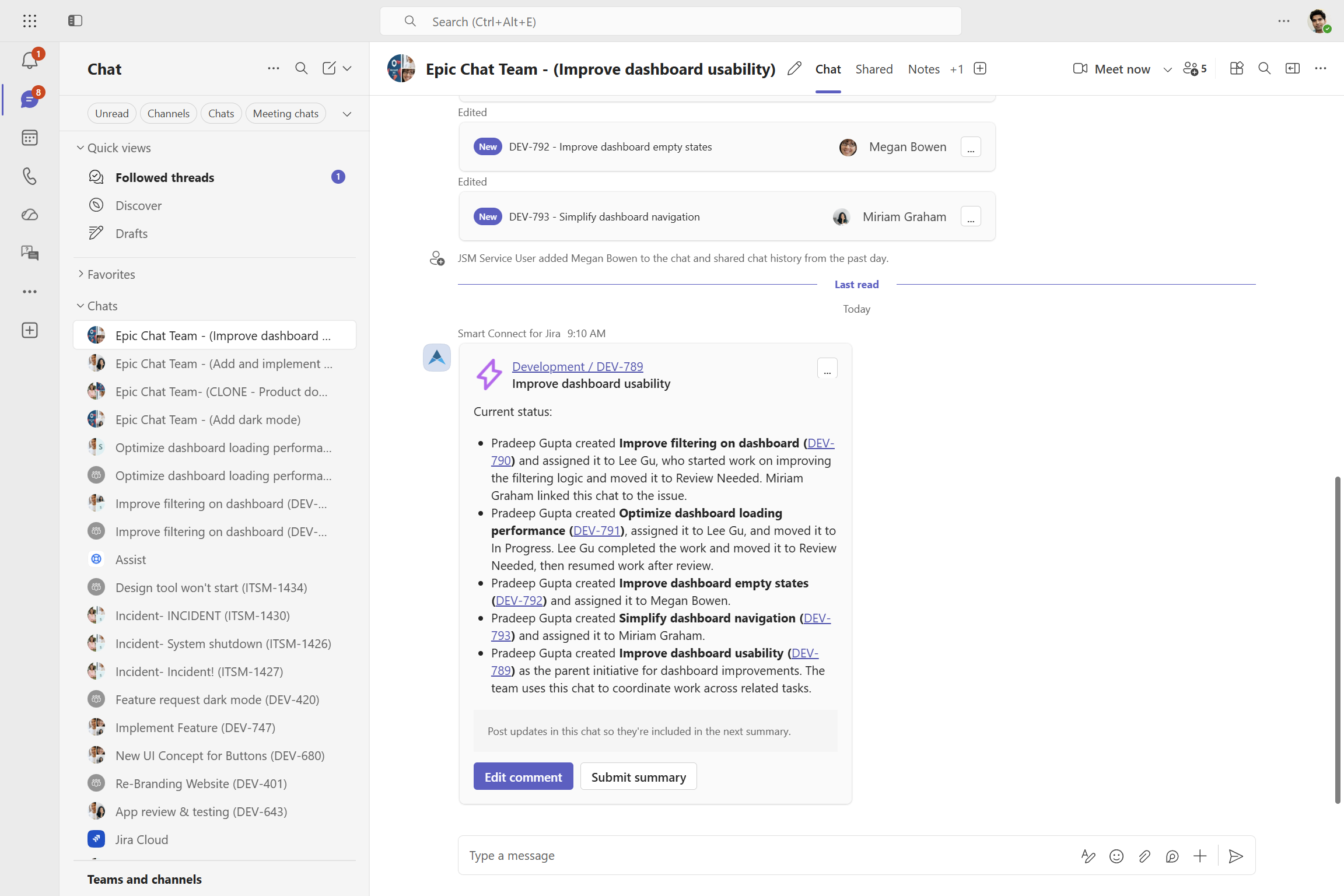
Epic Chat with AI summary card showing updates related to the epic and its subtasks.
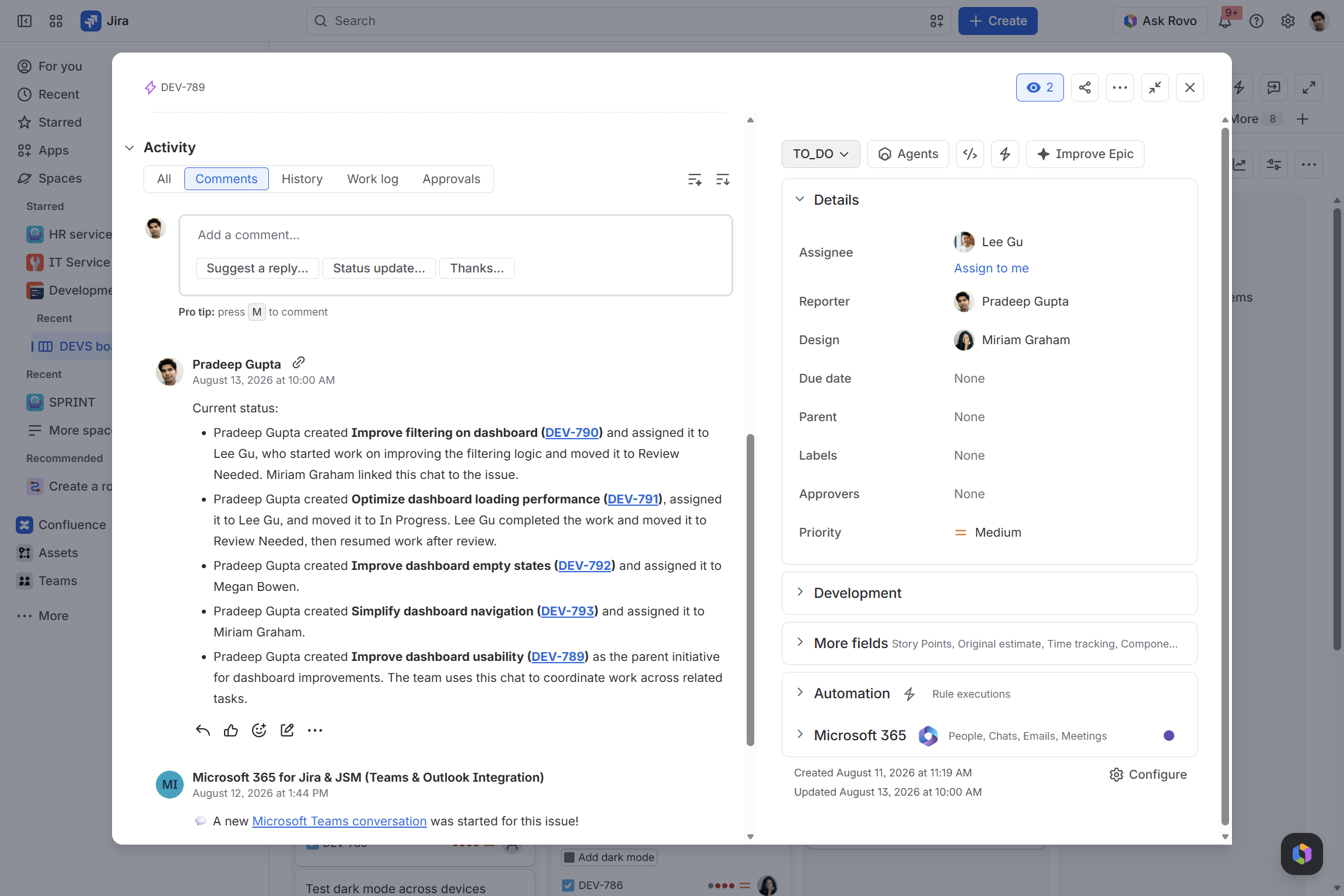
Submit the summary in Teams and access the information in the Jira comments.
See the difference in practice
The difference between native Teams capabilities and Microsoft 365 for Jira is easiest to understand in the actual workflow.
Native Atlassian Teams capabilities are useful for selected actions from Teams, such as receiving notifications, previewing links, creating work items, or working with specific JSM chat and incident scenarios.
Microsoft 365 for Jira goes deeper into the collaboration process. Teams conversations stay connected to the related Jira work item or JSM request, so communication, context, updates, and follow-ups remain part of the structured work record.
To see the difference in practice, watch this comparison demo by Alex Ortiz from Apetech, showing both apps side by side.