
Before reading this make sure you are already familiar with our Templates:
When creating templates or automations, you might want to add dynamic work item context, such as asset values.
For example, if you have a database containing assets for each employee, a linked asset automatically attaches to the hardware details when an employee reports a broken phone.
When responding to this request, you want to include the operating system, status, and other details in your chat, email, or meeting.
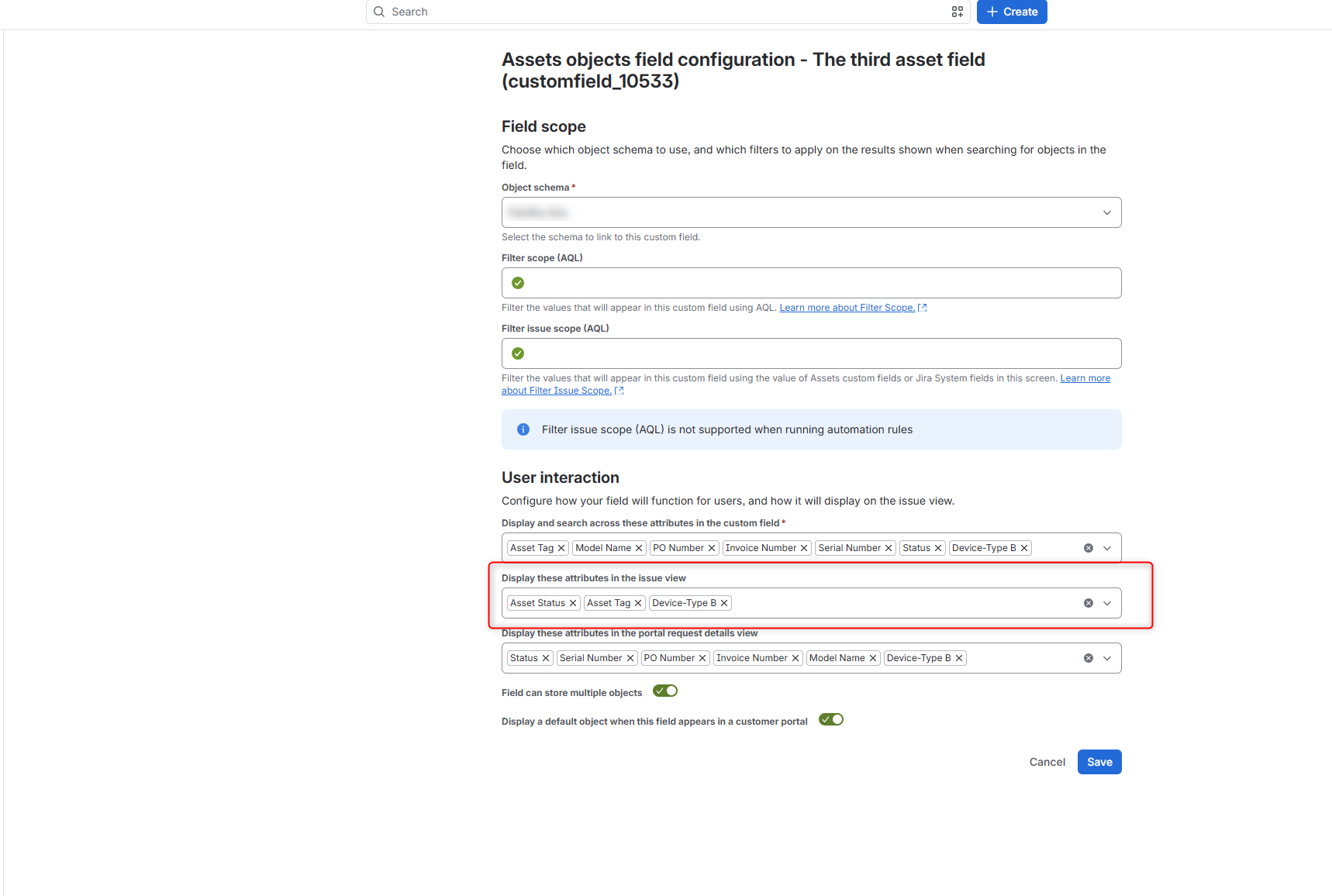
The first important step is ensuring these values appear on the issue view. Configure the custom field to display on the issue view as follows:
Now let's examine how our asset appears inside a work item:
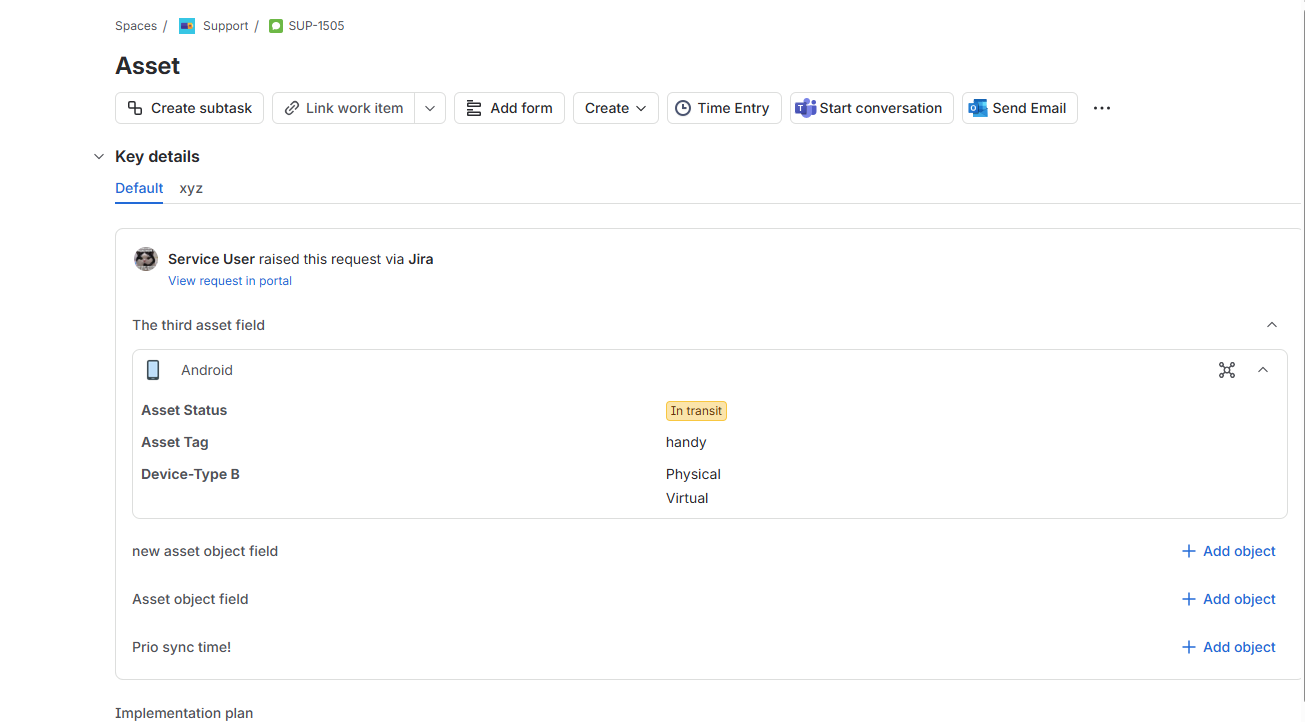
In this example work item, I want to access these attributes. Our Template feature includes a Preview to verify your syntax. I want to display the Asset Status, the object name, and Device-Type B:
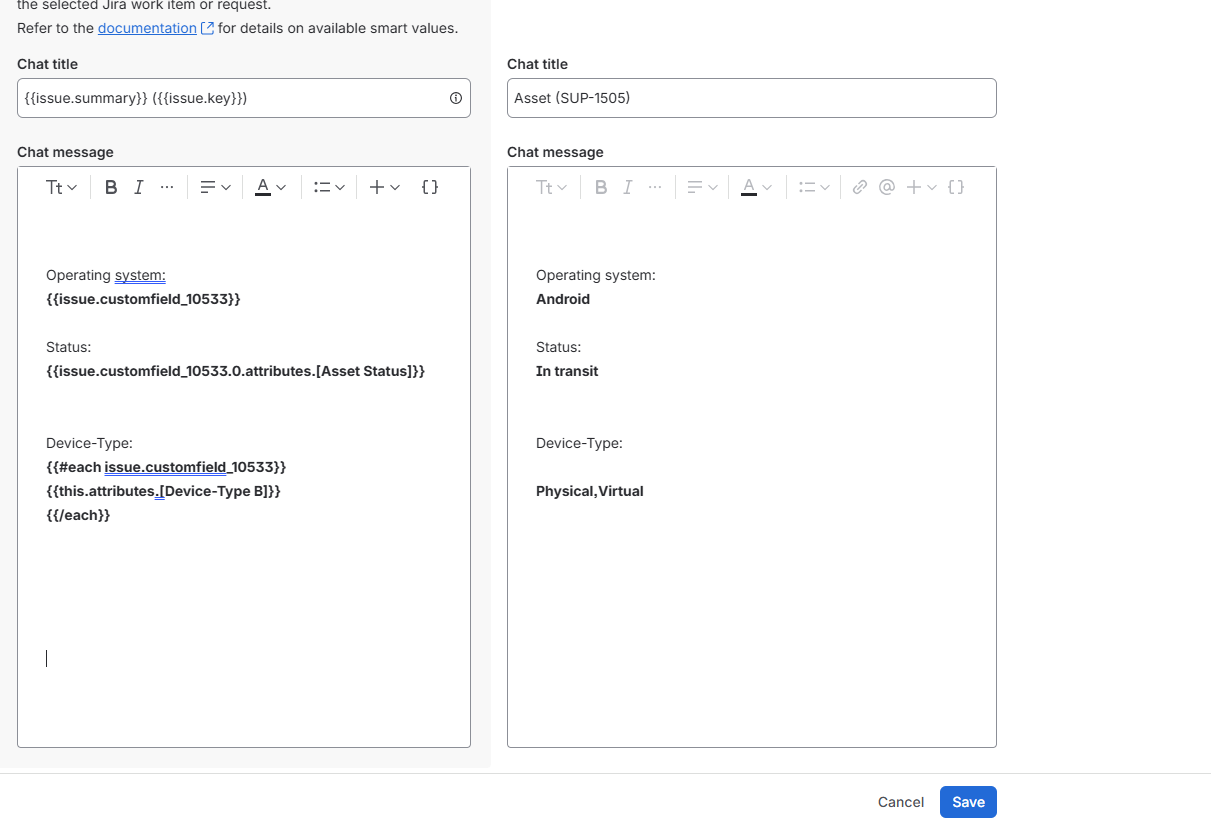
In this case the work item field stores a single object, allowing me to display the asset object name using the basic customfield smart value syntax (the first entry in the screenshot):
{{issue.customfield_xxxxx}}
To display the status, I must iterate over the relevant attribute. Since the attribute contains two words, use square brackets:
{{issue.customfield_xxxxx.0.attributes.[Attribute Name]}}
To display Device-Type-B, use square brackets, too. Since this attribute holds multiple values, iterate over them with the #each function:
{{#each issue.customfield_xxxxx}}
{{this.attribute.[Attribute Name]}}
{{/each}}
Here are examples of displaying asset values in various scenarios:
<!-- Print out all asset names/labels -->
{{issue.customfield_xxxxx}}
Asset: Laptop, Asset: PC

<!-- Print out all asset names/labels but remove the word "Asset:" -->
{{remove issue.customfield_xxxxx “Asset:”}}
Laptop, PC

<!-- Iterate over every Asset picking a certain value like objectKeys or Attributes like Email -->
{{#each issue.customfield_xxxxx}}{{this.objectKey}}{{/each}}
PA-4 PA-5

{{#each issue.customfield_xxxxx}}{{this.attributes.Email}}{{/each}}
PradeepG@yasoondemo.onmicrosoft.com
MiriamG@yasoondemo.onmicrosoft.com

<!-- Get information about the first value of a field within the array of the asset. In this case the attributes Email -->
{{issue.customfield_xxxxx.0.attributes.Email}}
PradeepG@yasoondemo.onmicrosoft.com

<!-- If using spaces between the attributes name use -->
{{issue.customfield_xxxxx.0.attributes.[Manager Name]}}
Pradeep Gupta