What is the yasoon Community?
We aim to create a single place where our customers can exchange ideas with us and each other. Yasoon will connect customers worldwide for discussions, polls, and feedback. Joining the community is voluntary with no obligations.
We want to grow this community with you to adapt dynamically to its needs, avoiding rigid management or fixed concepts.
You will join a Teams channel where we start from. We may create separate channels or more engagement opportunities as the community grows.
What are the steps to participate?
The yasoon Community is hosted as a dedicated Microsoft Teams channel, designed to enable easy exchange, updates, and collaboration.
Step 1: Request Access
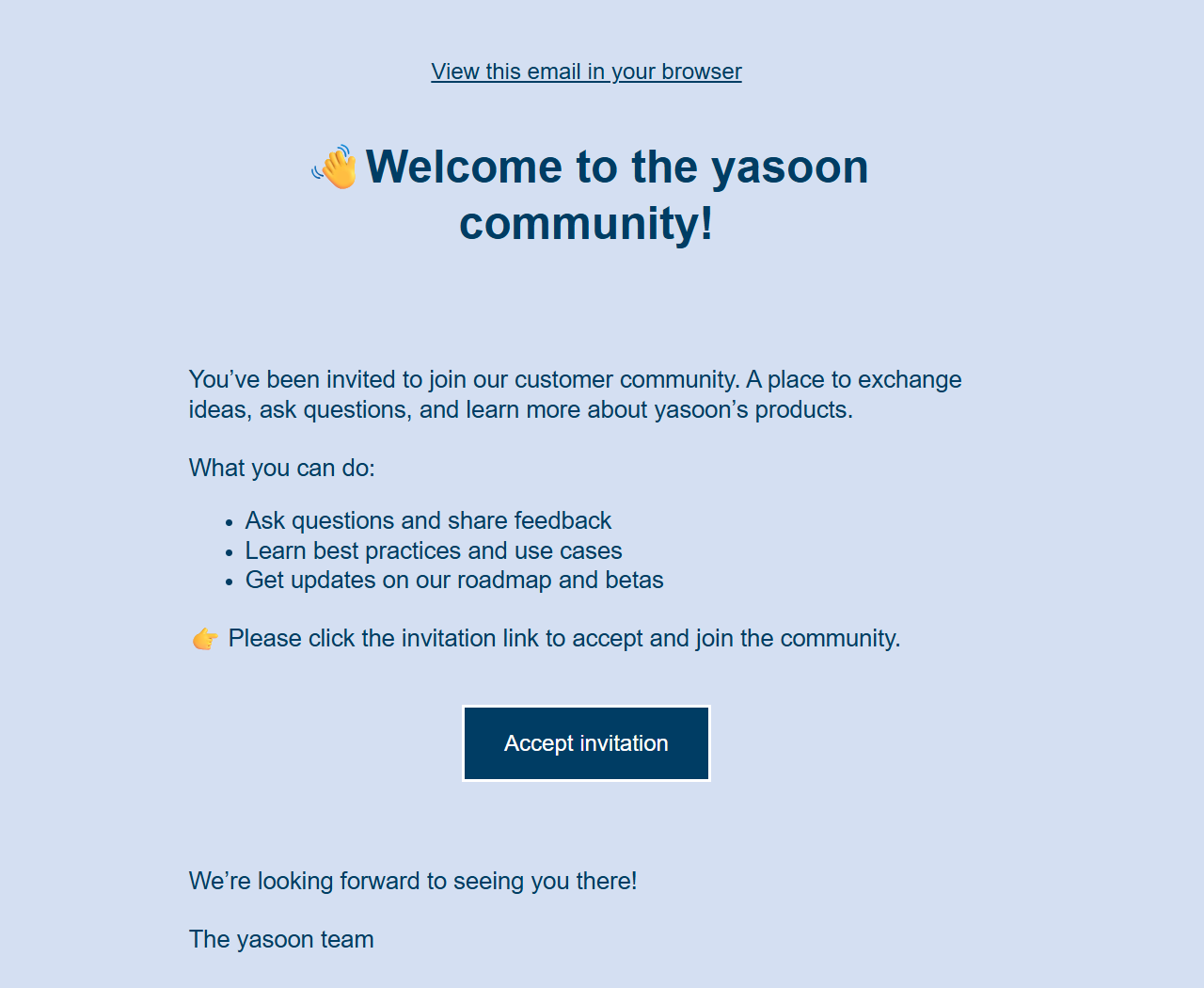
After requesting access to the yasoon Community, your request is processed in the background. A Microsoft guest user will be created for you in our dedicated yasoon community Microsoft Teams tenant.
Step 2: Accept the Invitation
You will receive an email invitation from us to join the tenant. Please note: depending on your email setup, this invitation may occasionally land in your junk folder. Once you accept the invitation, you will be guided through the final onboarding steps.
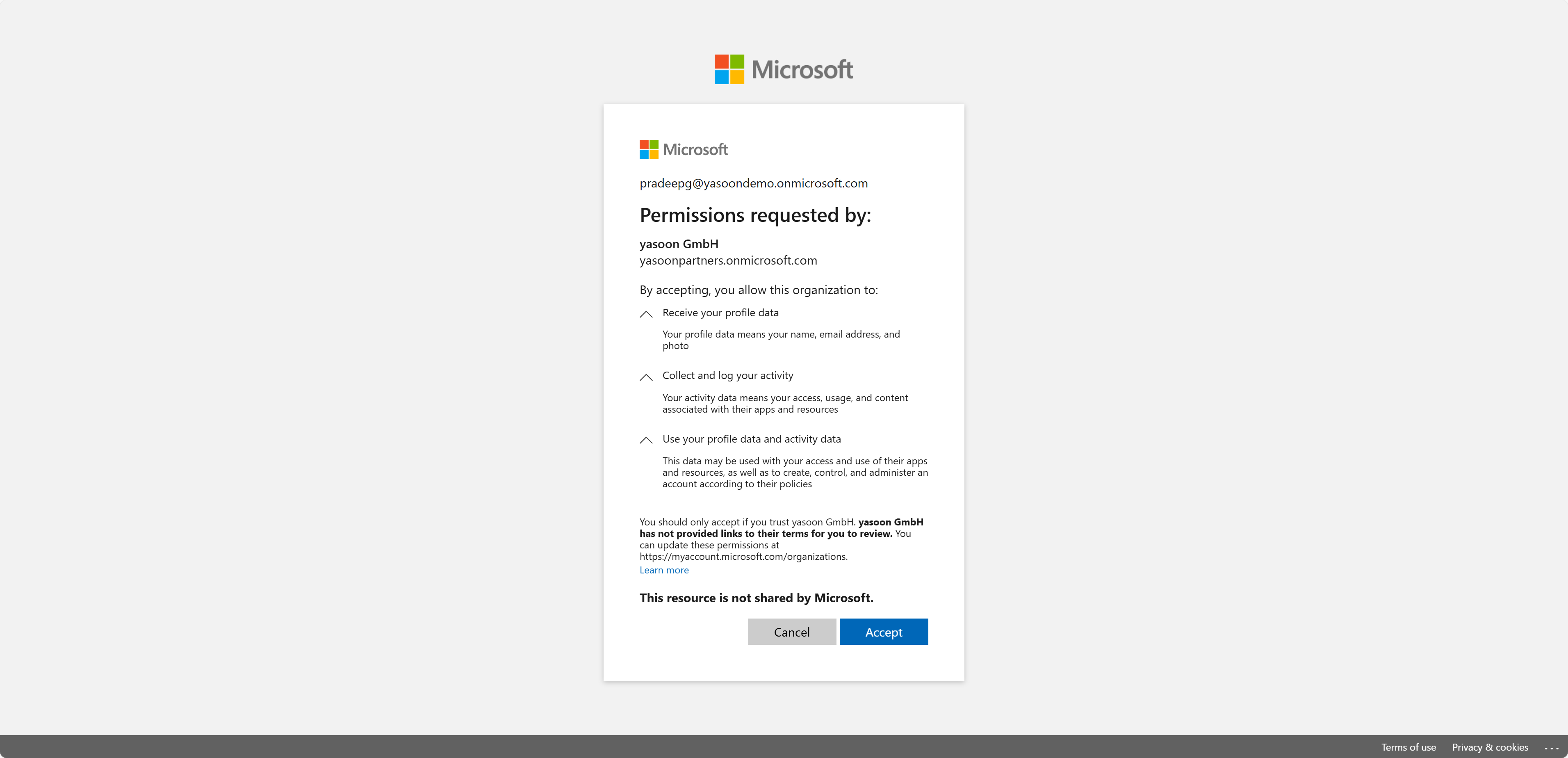
Step 3: Grant Required Permissions
As part of the process, you will be asked to confirm a small set of permissions.
These permissions are required to:
-
Grant secure access to the yasoon Microsoft tenant
-
Enable collaboration within Microsoft Teams
-
Ensure proper authentication and communication across tenants
Depending on your organization’s security policies, it may be necessary that these permissions are approved by your Microsoft tenant administrator before you can proceed. No access beyond what is necessary for the community experience is requested.
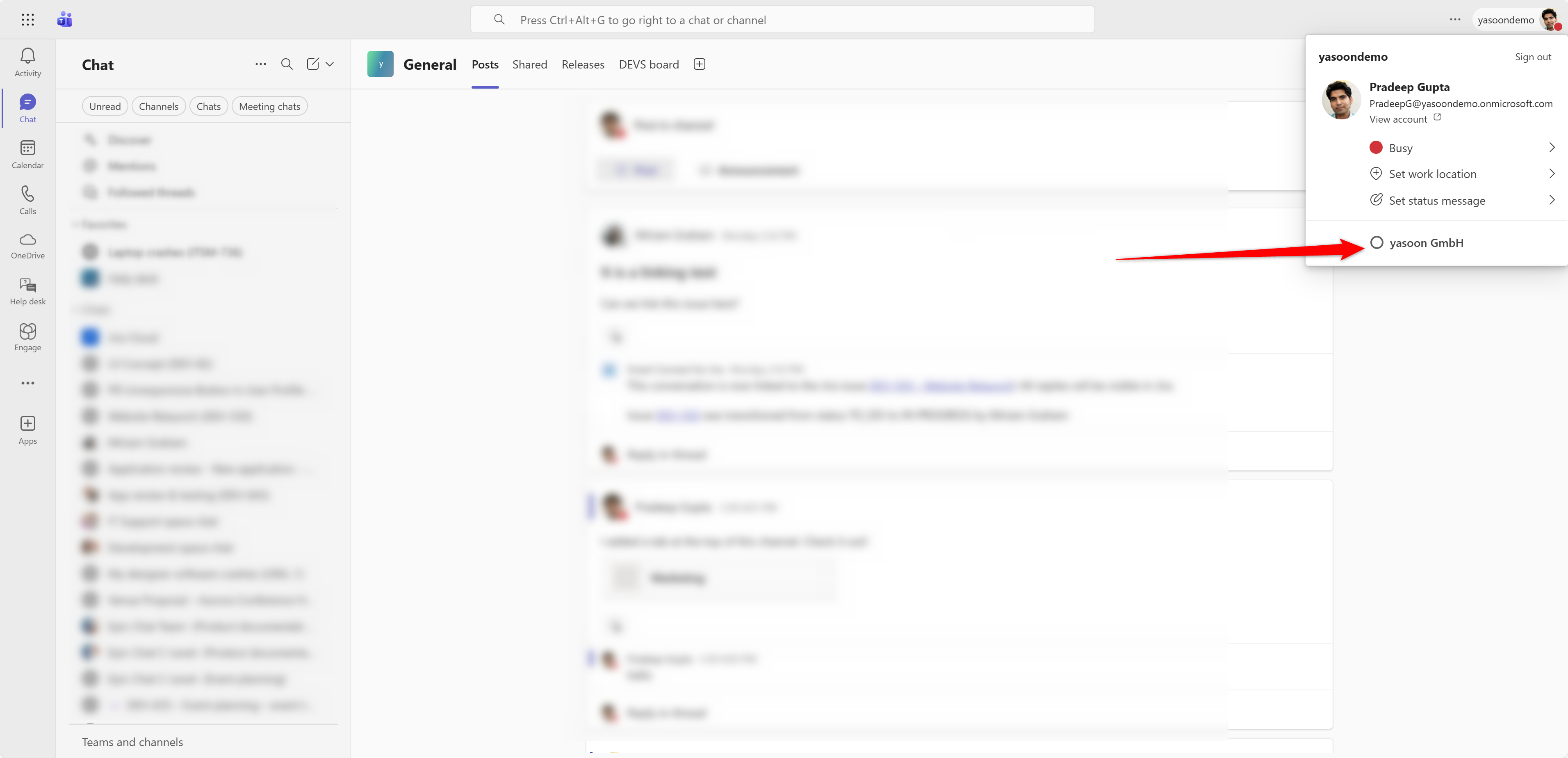
Step 4: Access the yasoon Community in Microsoft Teams
After completing the confirmation, a new tenant will automatically appear in your Microsoft Teams client.
You can easily switch to it and access the yasoon Community directly.