
To test our app or its functionality in production without users seeing buttons or interaction options like “Create a chat” or “Send an email,” we offer a Jira permission that restricts visibility at the user or group level.
How to limit visibility?
To restrict the app's visibility to a specific group of Jira users, follow these steps:
-
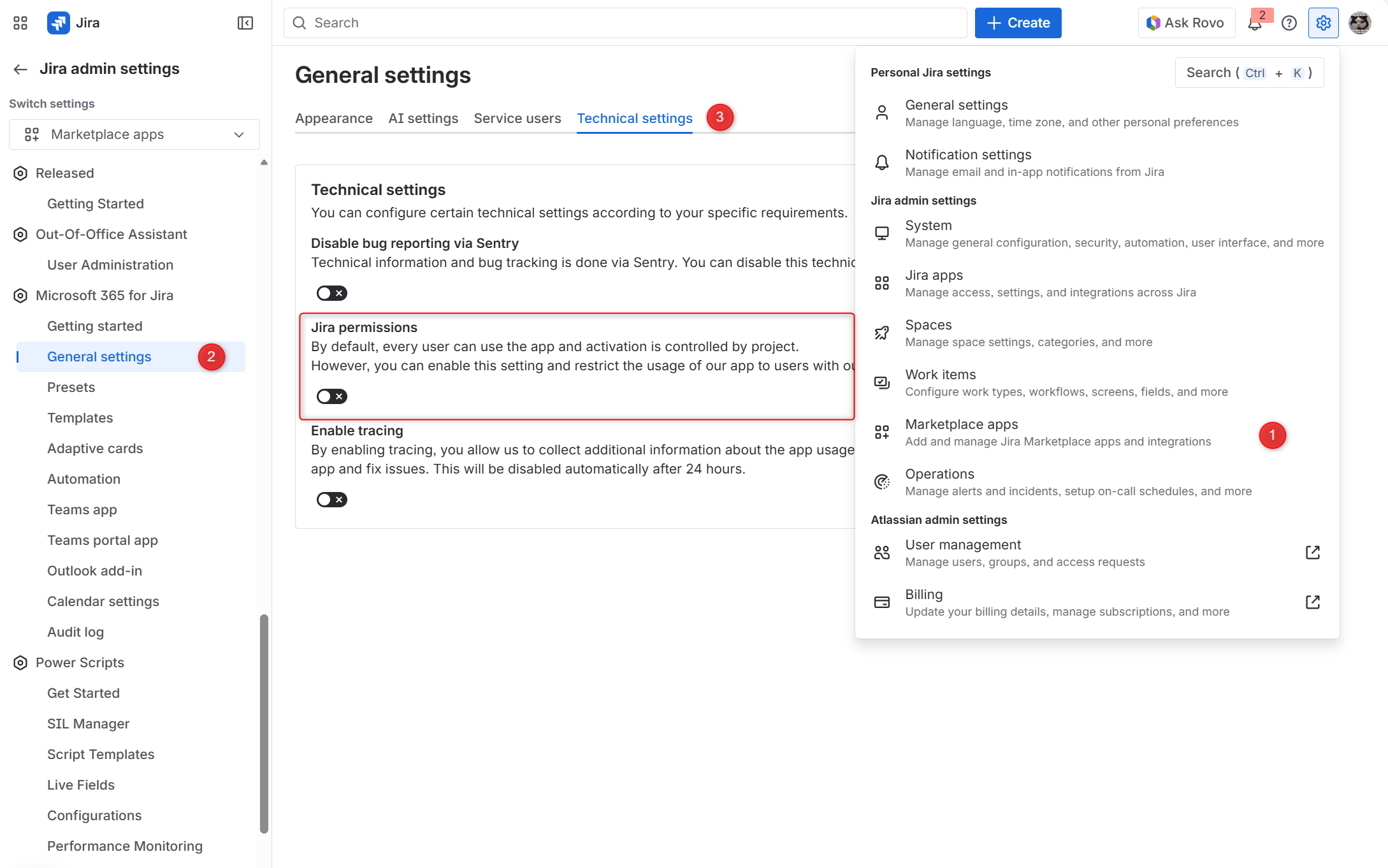
Enable the Jira permission toggle by navigating to the cogwheel in the upper right, then Marketplace Apps → Microsoft 365 for Jira → General settings → Technical settings → toggle Jira permissions
-
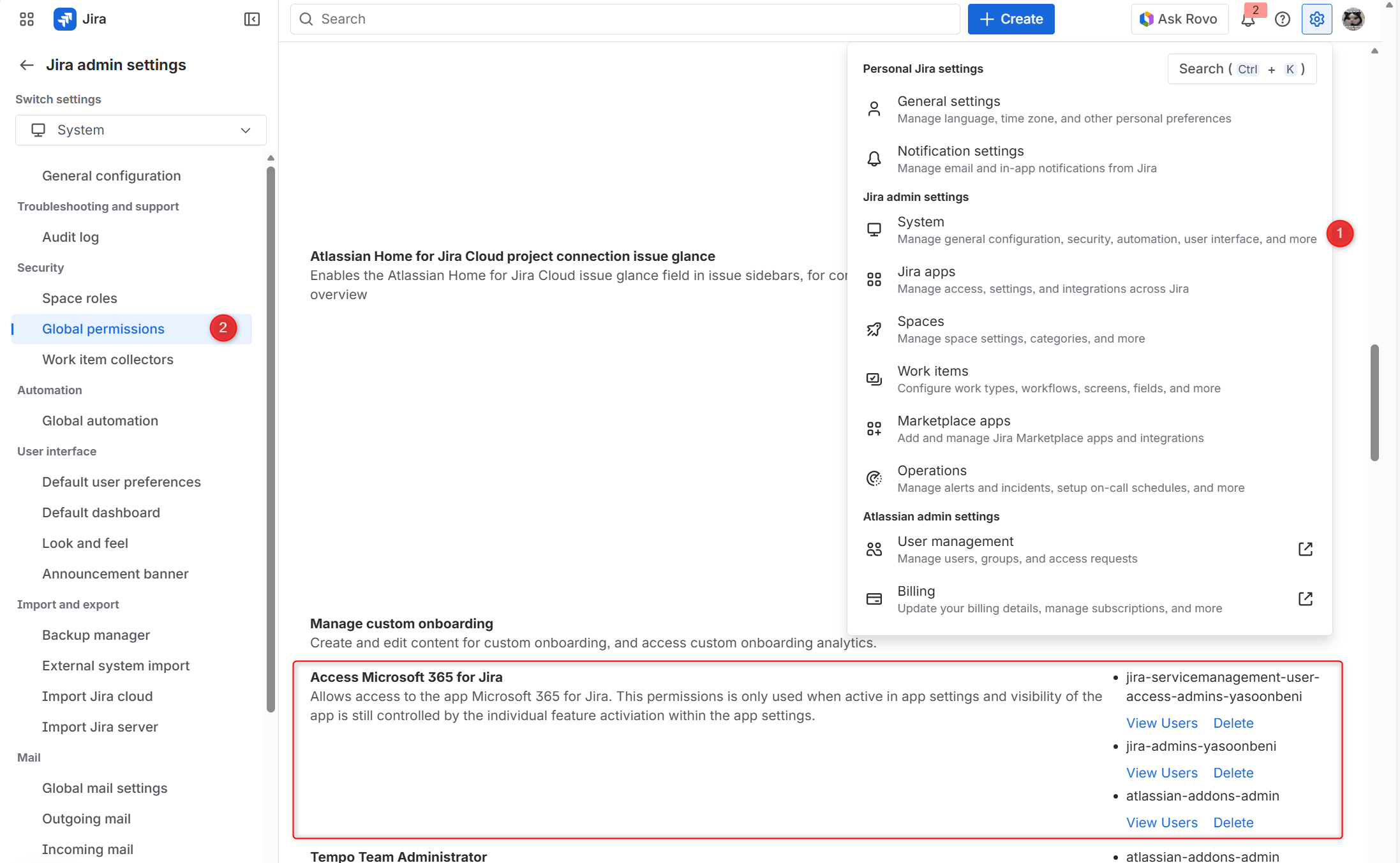
Navigate to Jira's global permissions by clicking the cogwheel at the top right, then select System → Global Permissions. Search for the permission “Access to Microsoft 365 for Jira”
-
Remove and add the user groups or users you want to grant app access in Jira on the issue view.
-
You are all set! 🎉