
When a Teams chat or channel conversation is started from the Jira work item, you can access and review related information via the adaptive card being posted.
From chats
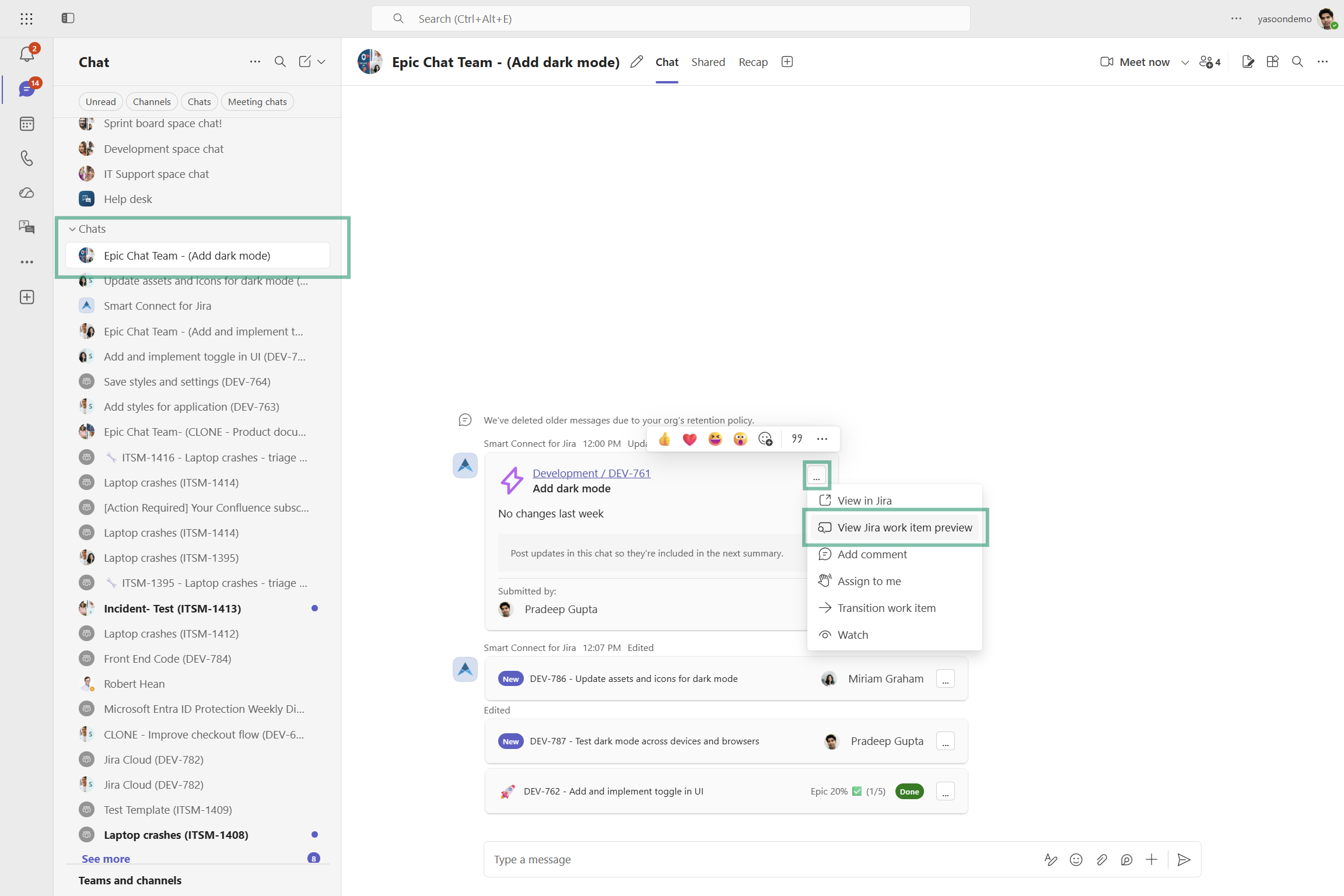
Depending on your Jira project automation (epic chats) or configured Teams Preset, newly created epics or work items (if status e.g. changes) are automatically posted into a dedicated Microsoft Teams chat or channel.
Details about the new project are neatly displayed via an adaptive card. Click the menu dots and select “view work item preview” to learn more (without leaving Teams).
Use this feature in all chats: 1:1 and group chats.
Technical limitations
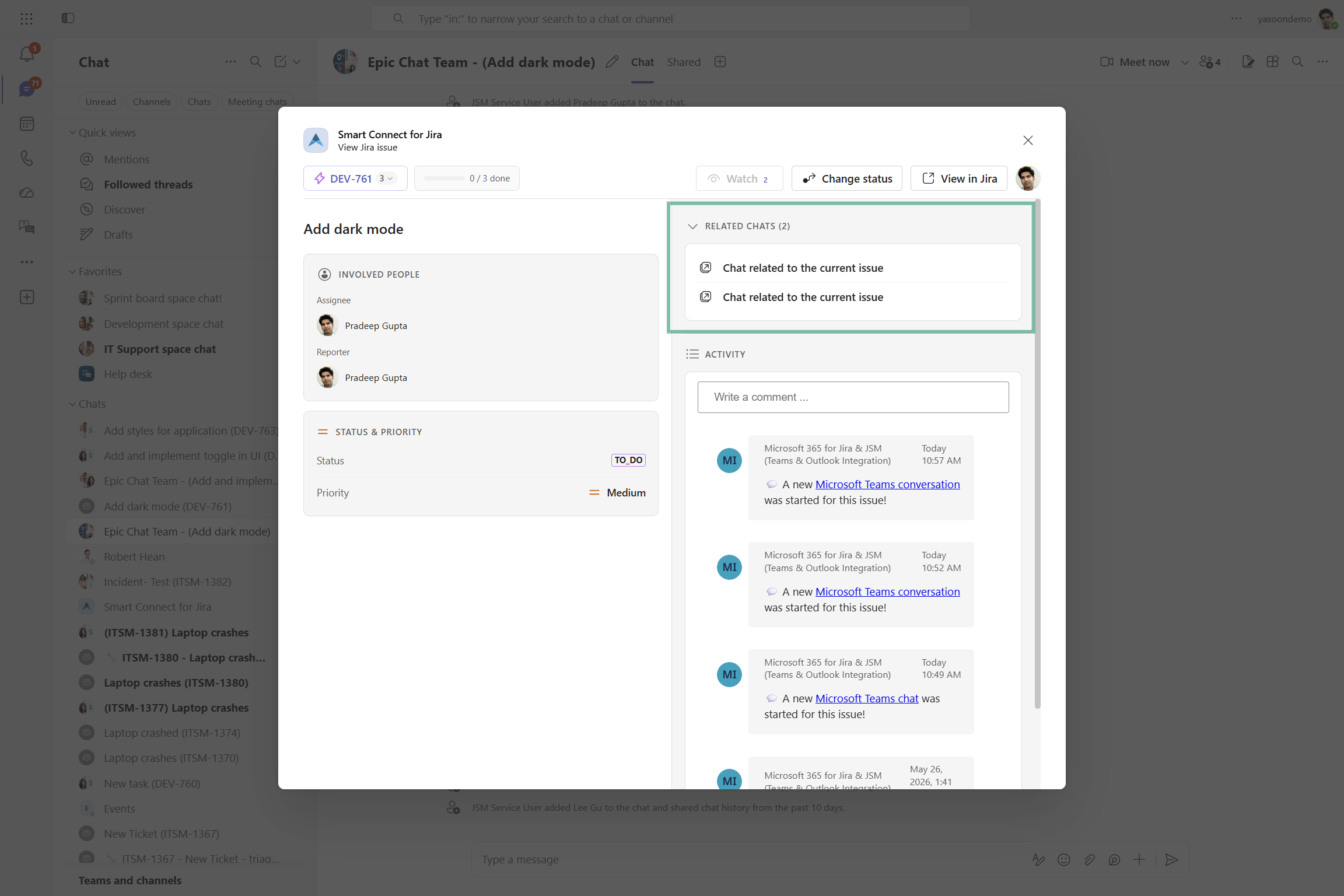
Due to technical limits, you will only see related Microsoft Teams chats to that work item, if you open the preview in Microsoft Teams chats.
Related Microsoft Teams channel conversations will not appear, even if they exist. Switch to the Jira board view (of your Team in Microsoft Teams) to get this information.
From Jira board
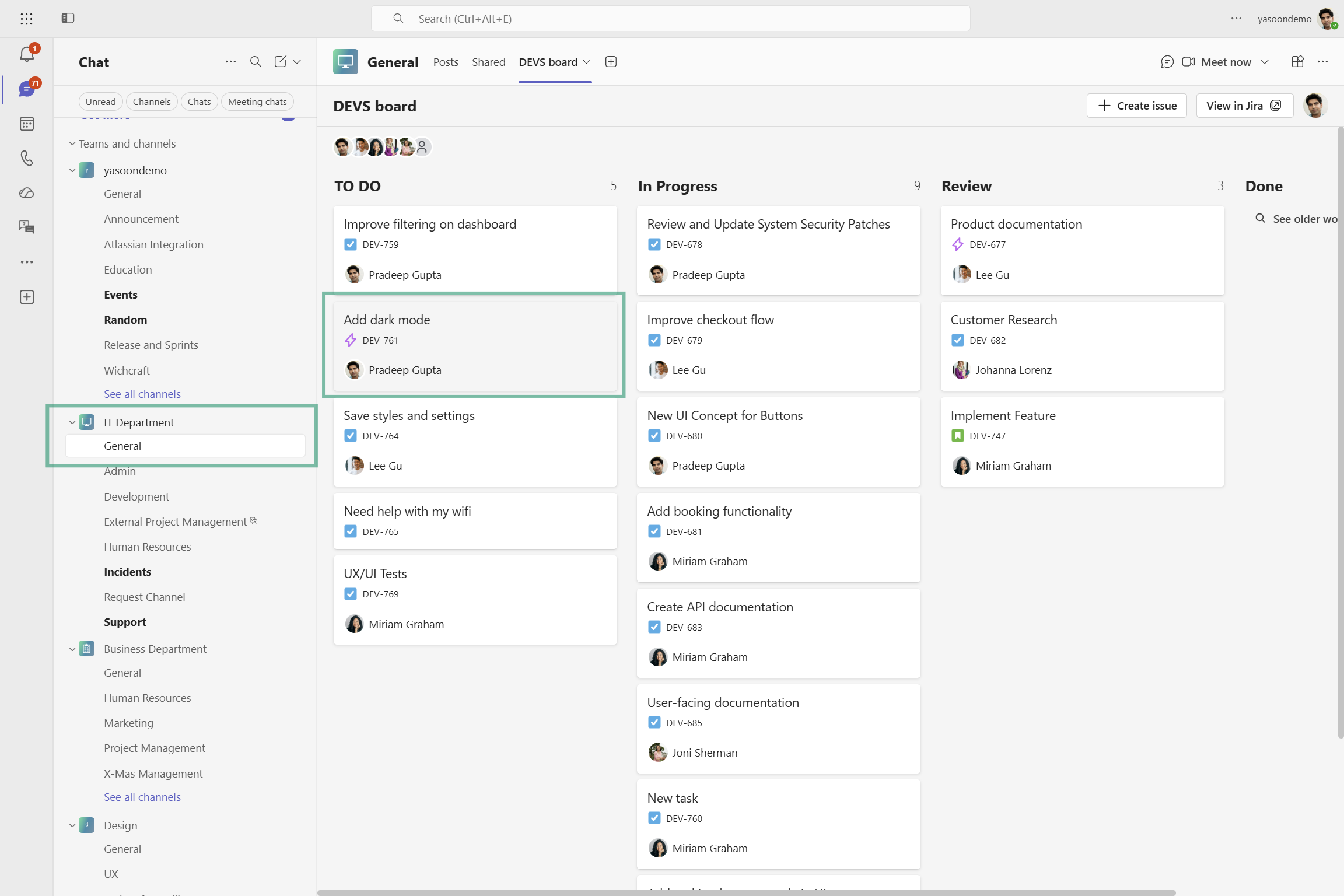
When working with Jira boards in Microsoft Teams you can also access work item details via the “view work item preview” button.
To get there, open your Jira board of your Team and select a work item. The way the information is displayed is the same as with the adaptive cards being shared in chats.
Technical limitations
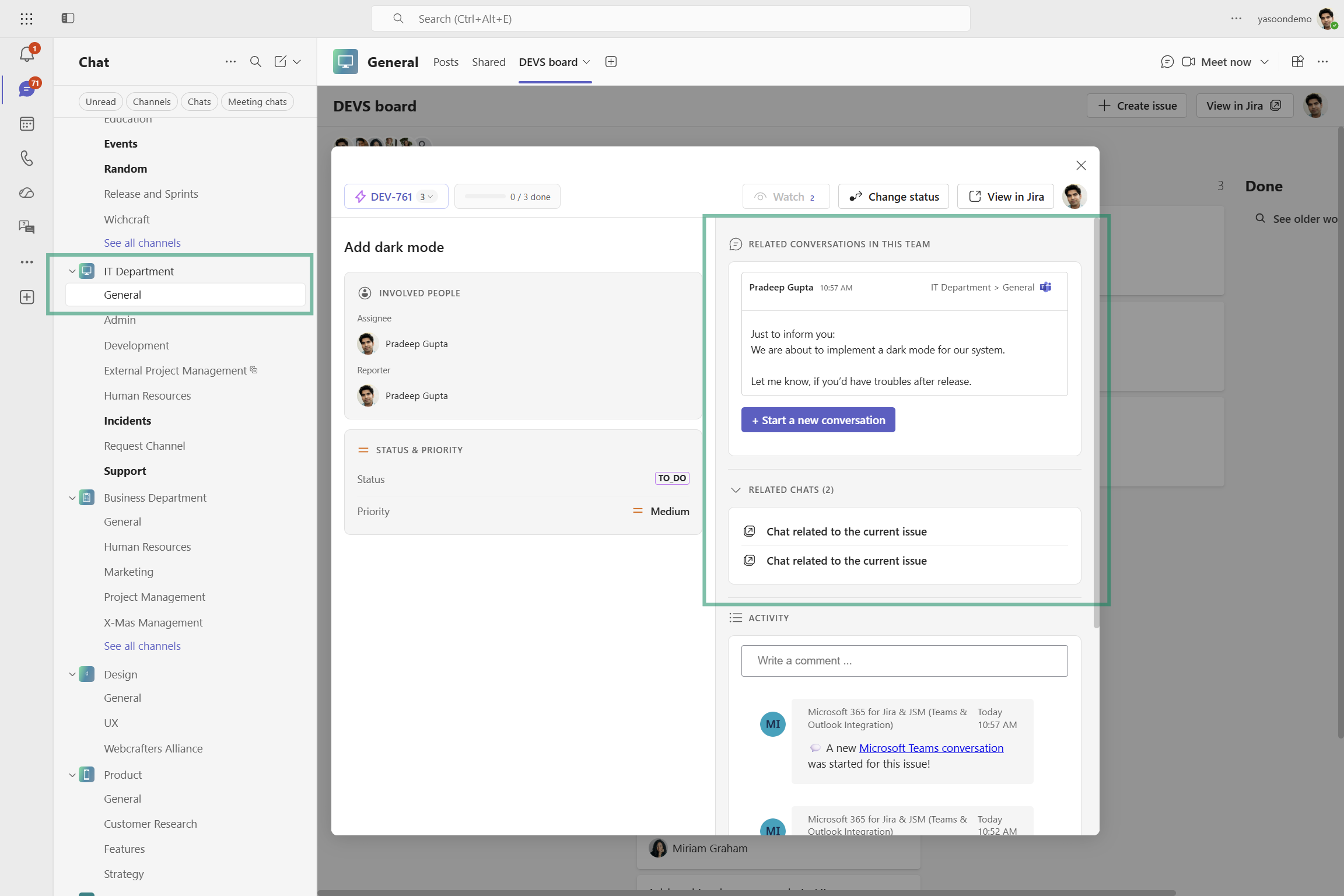
You can only access those related Microsoft Teams channel conversations, being existent within that specific Team where the Jira board is shared in (e.g. IT department).
Microsoft Teams channel conversations related to that work item from other Teams (e.g. Design) will not be displayed. Only, if you include the Jira board there, as well and access the work item preview.
Channel conversation information tracks per Team in Teams, not across different Teams.