
AI Summaries are set up via Teams Chat Presets and are only available for Jira Software.
About
Configure and generate weekly or daily AI summaries highlighting discussion topics within the chat, resolved and open work items, assignee changes, and newly created work items for the current project. Stay updated on Jira activities without switching tools.
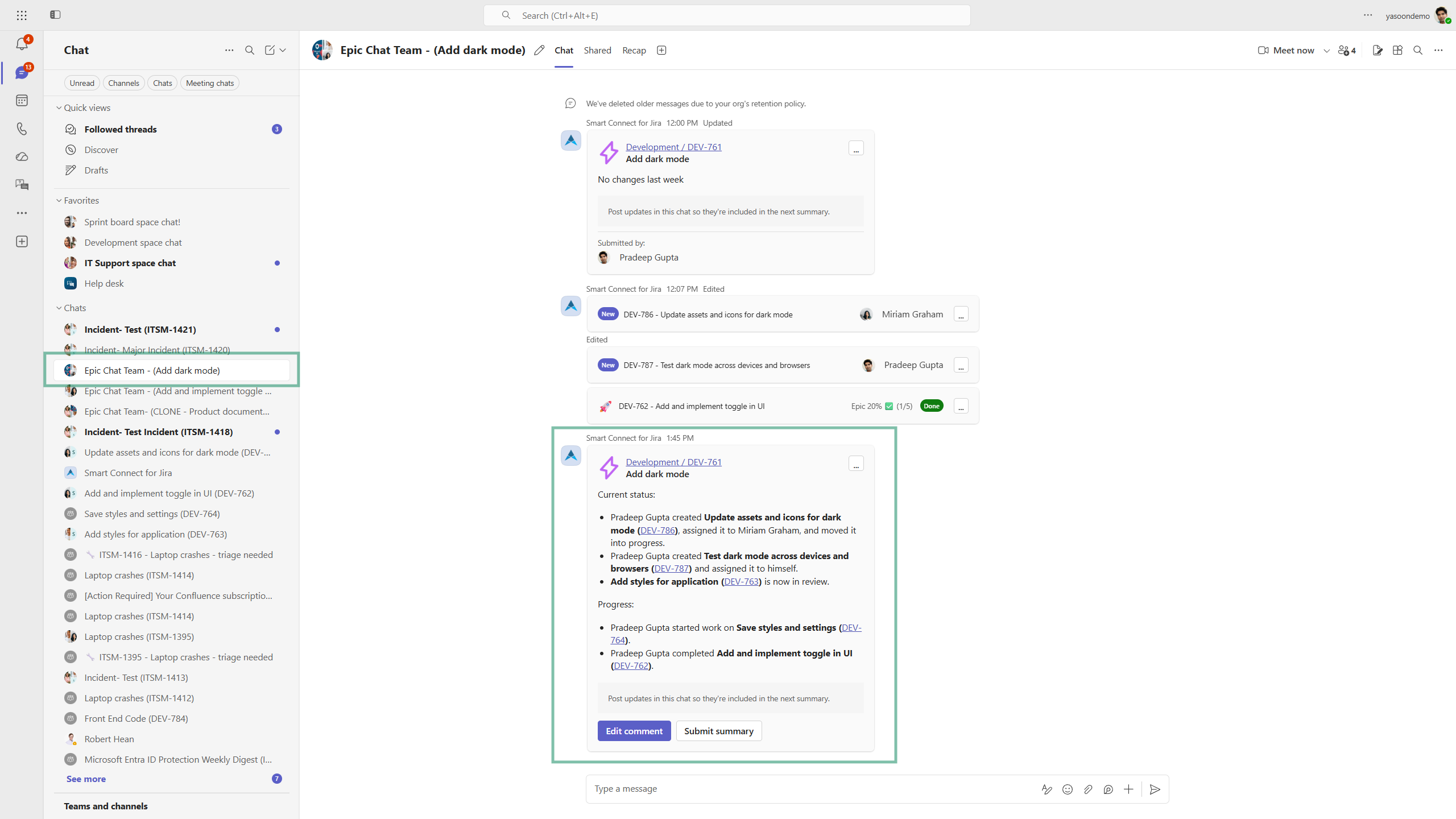
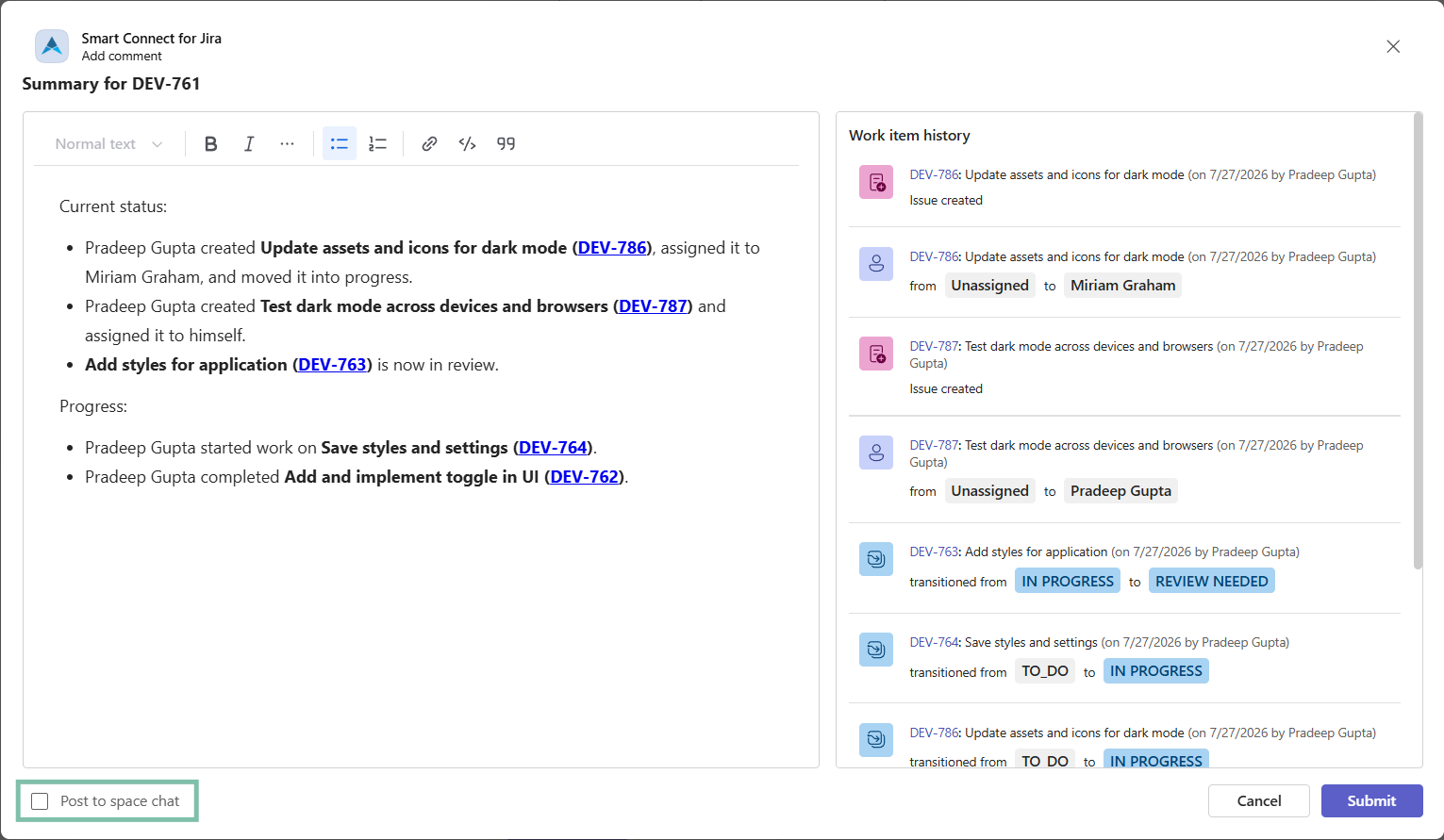
You can add the summary as a Jira comment to the work item or edit it first.
Tick post to space chat, if there is one existing to share updates with the whole team and to keep everyone aligned - even though they might not be actively involved.
Adding the summary as a Jira comment, will notify all involved persons via email as usual.
Use cases
Epic collaboration
Working on larger projects like epics means not all team members are equally informed about every child work item. However, to complete projects on time and with quality, keeping everyone (basically) aligned helps moving work forward.
With our AI summary cards, you can provide a brief, holistic overview of the epic's progress - including subtasks, newly created work items, changes in responsibilities, and work items needing a review or being already resolved - to the whole team on a regular basis.
We recommend the following set-up to make the most of it:
-
Set-up a Teams Chat Preset for your Jira software space and configure a “summary card”.
-
Set-up a project automation for epic chats to automate communication. Every time a new epic is created, our automation instantly starts a Microsoft Teams chat with the team.
-
The result:
-
Epic chat automation provides a central communication hub for the team working on that epic.
-
Configured as part of the automation, the AI summary card reliably posts progress updates of the epic and its subtasks into the joint chat.
-
Updates on individual work items
As our summary cards are configured via our Teams chat Presets, they can be used in individual work items (chat Preset is selected when starting a chat from Jira).
Thus, AI summary cards can pop-up in different, work item-related Microsoft Teams chats.
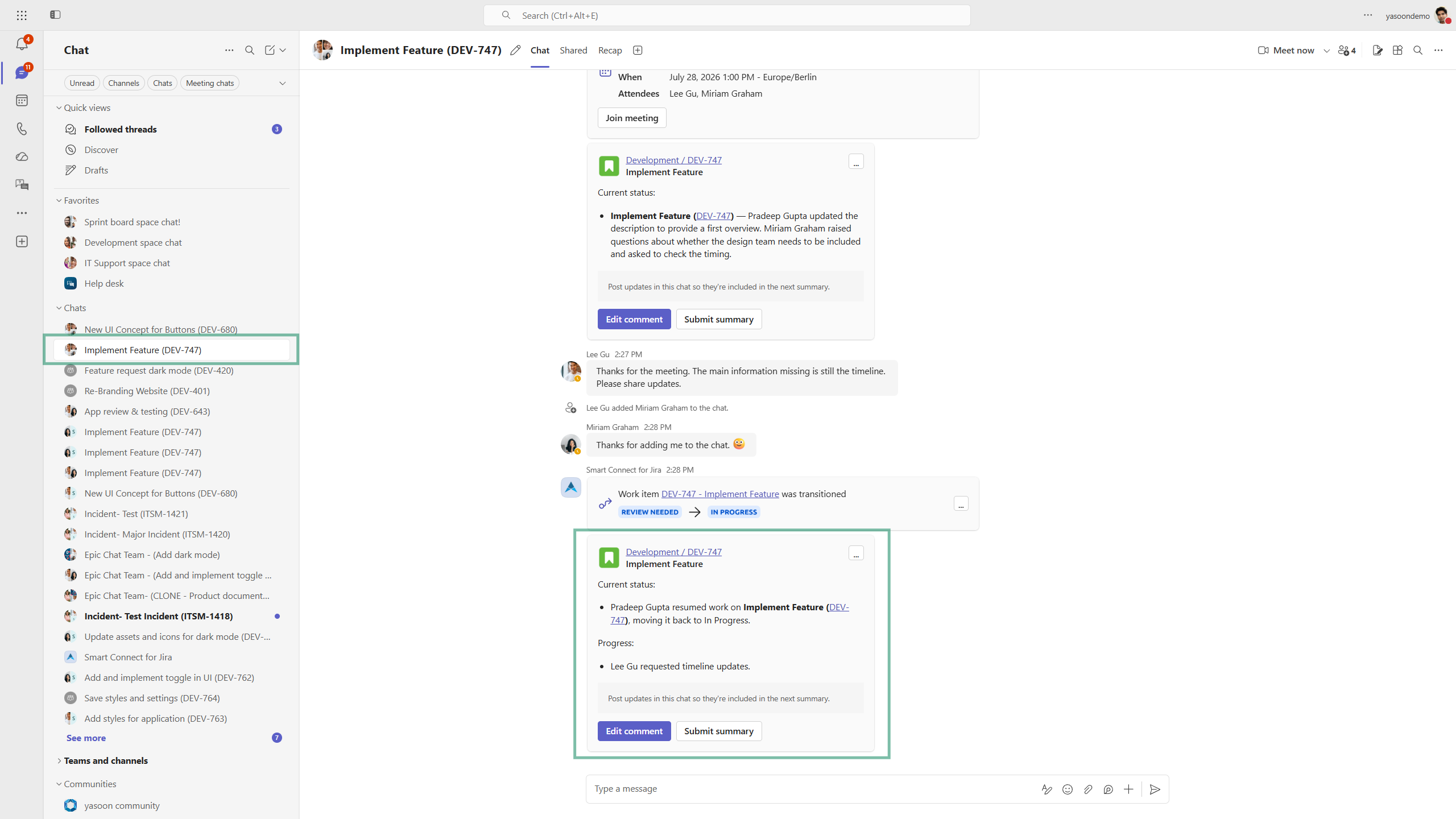
AI summary cards have a nice side effect as they can serve as little reminders for the team to either push tasks, enforce reviews or check on current timings and status.
Configuration