Situation
Some users reported that when adding an email to an existing work item or creating a new one in Jira, the email body gets truncated in the description or comment section.
Background
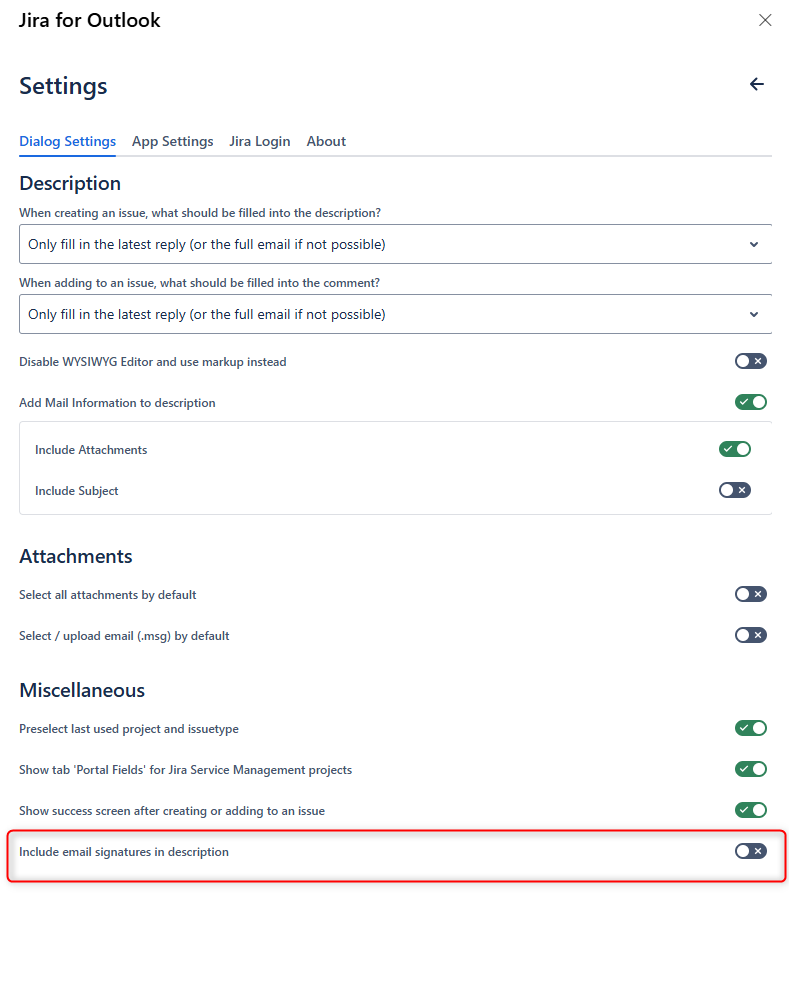
Emails often include signatures and logos. When creating work items or adding emails from Outlook, you usually want to filter these signatures automatically instead of deleting them manually each time. To address this, we introduced a change that detects and filters signatures automatically.
However, sometimes Outlook marks the entire email or parts of it as a signature, causing truncation.
Solution/Workaround
Since we cannot predict these cases, we added a setting in the Outlook add-in that lets you enable or disable signature filtering if this issue occurs regularly.