
Some customers may encounter issues with the visibility of their replies not being displayed within the Jira work item. Here are a couple of reasons why this can happen.
#1 The email is not part of the conversation anymore because the subject changed the ID
The main reason for this is that the email is not part of the conversation anymore, i.e. of the email thread. This can have different reasons. One is a user changed the subject of the email at some point, which results in a new conversation ID and breaks the email thread. Since our app is relying on an ID mapping between work item ID and email/conversation ID we can’t fetch the email anymore and thus are not able to display it. This is also the reason why our app greys out the “From” field if you are replying from Jira to an email.
#2 Someone unlinked the email/sharing
Within Jira a user can stop the sharing by unlinking an email or the entire conversation blocking new replies to be visible. This is happening rarely and should not occur that often.
#3 The email has been forwarded and afterwards the recipients changed
This can happen in special cases: A user is sending an email, the recipient is forwarding the email and the recipient of this forwarded email changes the previous recipient by new ones. Security-wise this might be worth a discussion but nevertheless the reply won’t be displayed.
#4 Reply to an email in a shared mailbox is not displayed
Lets say you work in a shared mailbox. A user is creating a new work item from an email there using our Outlook add-in. Now this user stays in Outlook and replies to this email from the shared mailbox. You can observe this reply won’t be visible in the Jira work item though.
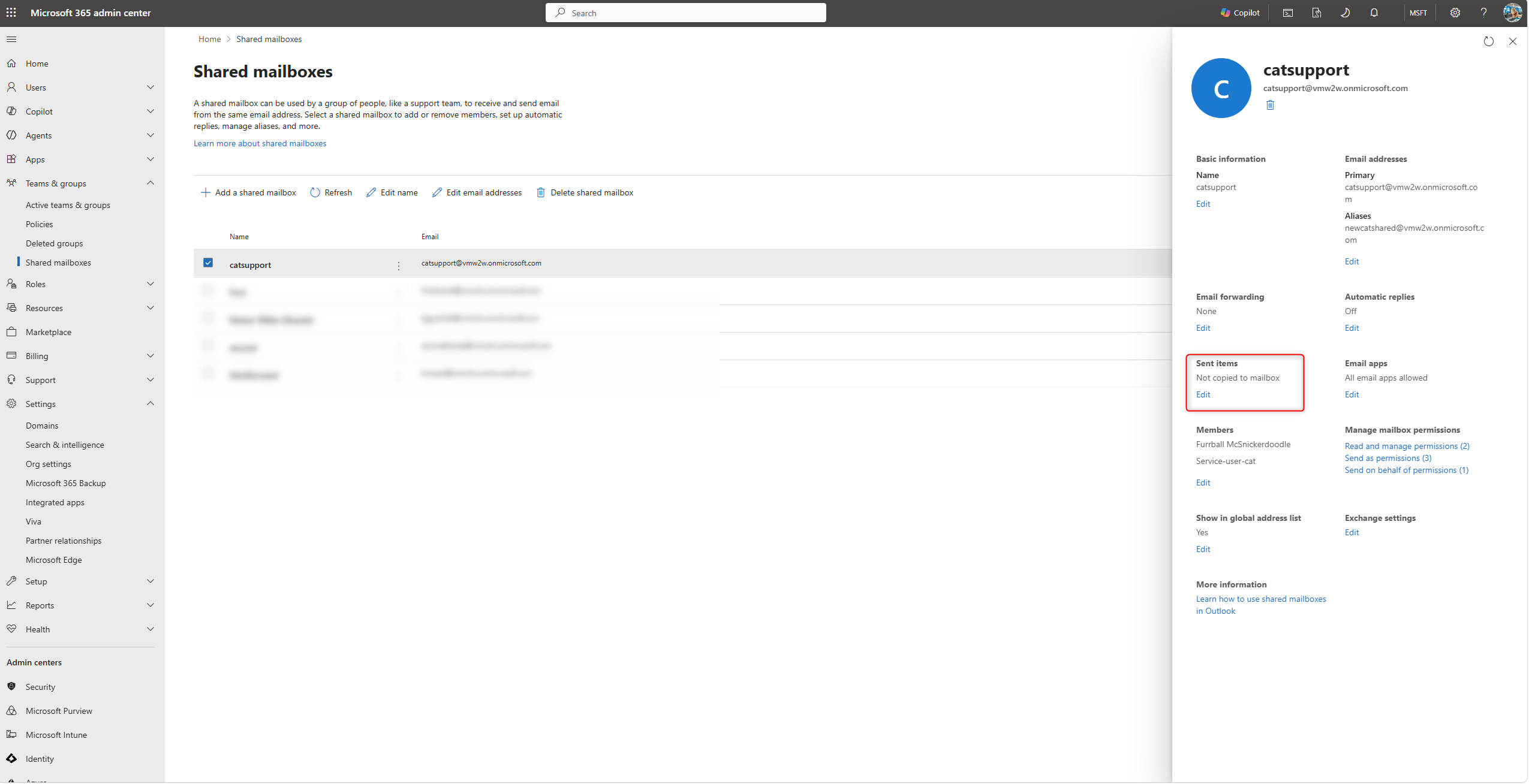
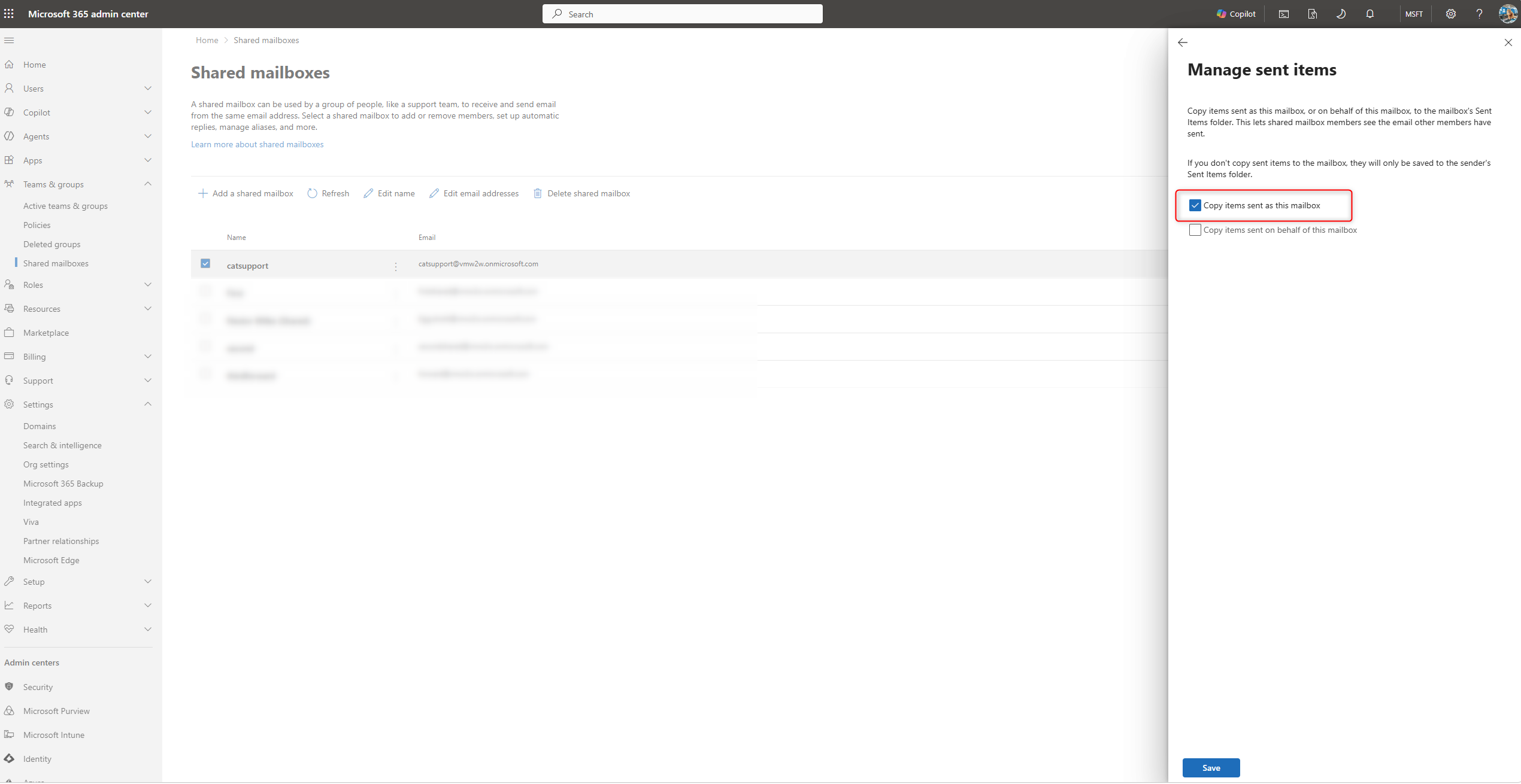
Microsoft per default routes every reply you do in Outlook to an email in a shared mailbox in the personal accounts sent item folder. Since it's not in the mailbox the original email is in, we can't fetch the mail and thus can't display it anymore in the work item.
If you like to make this work you can use a setting within the Microsoft 365 admin center to also store a copy of this sent email to the shared mailbox sent item folder, this way the reply will be also visible within the work item:
#5 The email has been deleted for good
When deleting emails normally these emails are going to your trash bin in Outlook. In that case the linking is still working. However, if you are deleting the email from the trash bin, it will be gone forever and we can’t fetch the email ID and thus the email anymore.